
Why Website Architecture Matters Before Adding New Features
Website architecture decides whether new features help or confuse your visitors, so the structure has to come before the add-ons. Booking tools and chat widgets only work when people already know where they are on your site.
At Westport Osprey, we plan site structures and build websites for small businesses. We’ve seen companies call after the features are live and the traffic still drops off.
This guide covers how navigation and crawl depth decide results, what to map before web development starts, and how flat and deep hierarchies compare. You’ll also see which pages deserve a spot in your main menu.
Website Architecture Is the Foundation Every New Feature Builds On

Website architecture is the way your pages connect, from the homepage down to a single service page. Every menu, link and button sits on top of that arrangement.
Because of this, a new feature inherits whatever order you already built. When you bury a quote calculator four levels deep, it gets almost no use. But when you link the same tool from a service page, it earns clicks daily (the position does the work, not the tool).
Designers call the planning side information architecture, and teams map it before a single page goes live. It covers your section labels, the groups your pages fall into, and the path someone follows to what they came for.
In our own rebuilds, the pages redone most often are the ones nobody planned a home for. Blog posts, case studies, and new landing pages each need a parent section and a few internal links pointing to them.
Why Should You Plan Your Site Structure Before Building Anything New?
Plan your site structure before anything else, because every page, link, and menu depends on decisions made early. If you change the hierarchy after launch, you break URLs, menus, and the internal linking that holds everything together. Nobody wants to see a site unravel over a restructure.
That cost is precisely why website architecture belongs in the planning stage, before the build begins. Two payoffs come from getting that sequence right, one for the people using your site and one for the crawlers reading it.
How Site Navigation Helps Visitors Find Key Pages
Clear website navigation helps visitors because it answers two questions at once: where am I, and where can I go next? Nielsen Norman Group found that people often leave a page within 10 to 20 seconds. Actually, they scan rather than read, which is why a menu with seven items beats one with 20.
From there, the pages that earn you money deserve a top-level spot. Service pages, pricing, and contact belong in the main menu, while your Privacy Policy and social media links sit in the footer where they stay out of the way.
You’ll notice the same pattern on any site you use often (the thing you need is never three menus deep). Good user experience comes from that predictability more than from any single design choice.
A simple test: if the page earns revenue or captures a lead, it belongs in the top bar. If it exists for legal compliance or occasional reference, the footer is the right home.
How Crawl Depth Shapes Your Search Visibility
Search engines reward content sitting close to the homepage, because a crawler follows links the same way a person does. Google’s SEO starter guide asks you to group related pages together for the same reason. For instance, a page reachable in three clicks gets visited and refreshed far more often than one sitting at level six.
That said, your URL structure and your menus do double duty. A tidy site structure spreads authority to the pages you want ranking, which is why search engine optimization usually starts with crawl depth instead of keywords.
We have seen technical SEO wins arrive from moving buried pages up a level and linking related posts together (no new content needed, just a shorter path to it). Keyword research still guides what you write, but none of it pays off until a crawler can reach the page.

Website Planning: Map the Site Before Anyone Codes
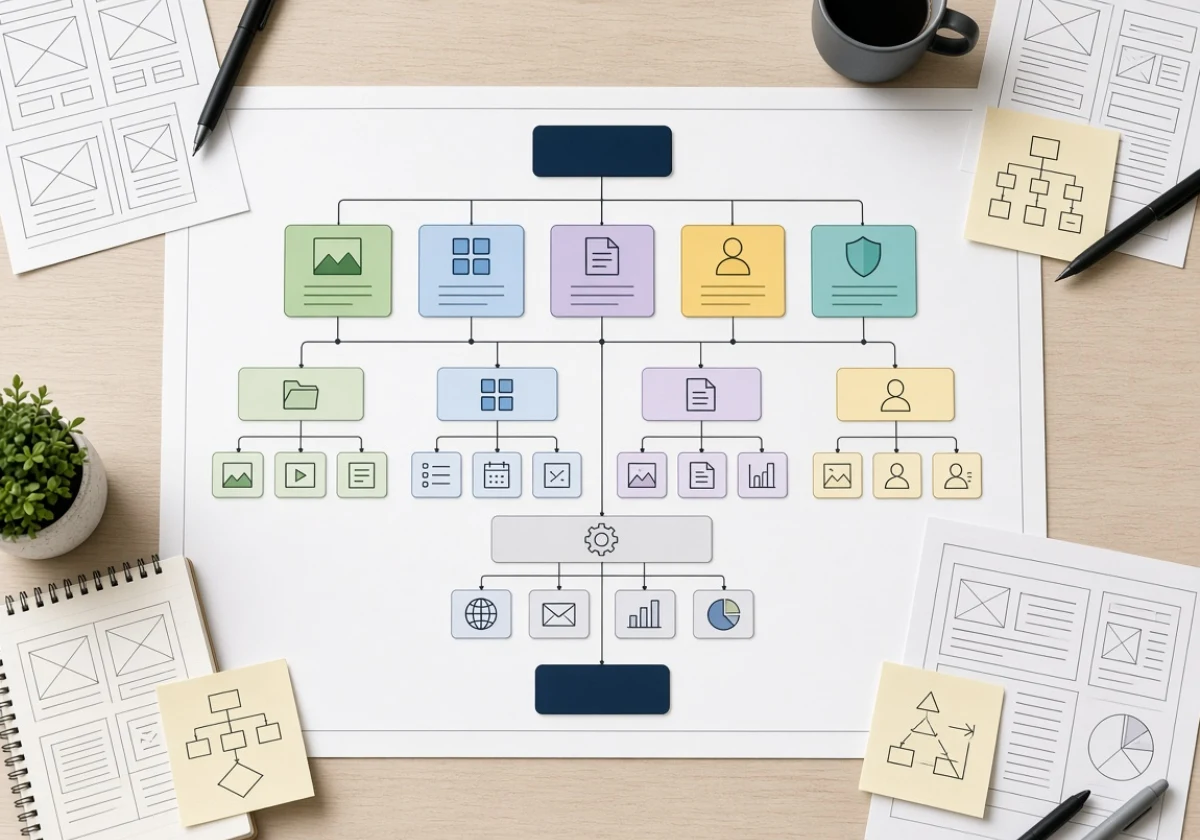
Your web strategy only pays off once you write it down. Mapping your web architecture saves weeks of rework after developers start building pages and wiring up features. The map needs these three pieces before web development starts:
- Sitemap First: List every page you need and group them under parent sections until a hierarchical website structure appears. Gaps show up fast when a page has no logical parent. Fix those in the outline, not in code.
- Wireframes For Key Templates: Sketch your homepage, a service page and a blog layout to set where links, headings and buttons land. Keep each sketch to boxes and labels, not colours or fonts, so the focus stays on structure. Developers then build one pattern instead of inventing ten.
- Consistent Naming Rules: Decide on labels and folder paths before anyone writes HTML. Use lowercase, hyphens, and plain English so your URL structure stays readable for visitors and crawlers alike. Later additions then slot in without breaking old links.
Keep that map updated as your site grows, because it stays useful long after launch. Good website architecture best practices come down to settling the structure on paper first.
Flat or Deep? Picking the Right Site Hierarchy
Now that your design is mapped, decide how deep your website hierarchy should run.
How deep your hierarchy runs depends on how many pages your site holds. The table below shows where each structure fits
| Factor | Flat Structure | Deep Structure |
|---|---|---|
| Clicks to any page | Three or fewer | Four or more |
| Best for | Small sites and service businesses | Large catalogs with many categories |
| Crawling | Crawlers reach most pages quickly | Lower pages get crawled less often |
| Main risk | Menus get crowded as pages grow | People lose track of where they are |
Site architecture best practices lean flat for small business sites, where the page count stays manageable. Flat pages also hold their SEO performance better, since crawlers and people both reach them sooner. Depth earns its place only when your categories genuinely need subcategories, and a hierarchical structure handles that without losing people.

Build the Structure First, Then Add the Features
When you get the page order right, the extras start pulling their weight. So, take a look at your own menu this week and count the clicks to your most valuable page. If that number runs higher than three, you have found your first fix.
Westport Osprey plans site structure and builds websites for businesses in Westport, Connecticut, and beyond. Contact the team to review your architecture and get your features working harder.