
Archives October 2026

How Businesses Should Define Website Goals Before Investing in Development

Have you ever seen a website that looks polished but never brings in leads, sales, or traffic? That’s mostly because no one defined what the site was supposed to do before building it.

Well, it’s just one side of the coin. To know whether your site is working, you need measurable goals tied to real business objectives before development starts, and that order protects your budget.

If you’ve ever seen a site built around layouts and color palettes first, then you know how that story ends. Businesses who skip the goal-setting step often land on a site that looks sharp on screen and proves nothing on paper.

Today, we’ll talk about how website goals aren’t optional and how to write them so they hold up. We’ll also discuss how to align design with marketing, so that every decision answers to a number you chose on purpose. Let’s get started.

Why Do Website Goals Need to Come Before Website Development?

Business owner and web developer sitting at a wooden conference table

Website goals need to come before website development because they settle the purpose of your website and how you measure success. Without them, a developer builds what looks reasonable, and reasonable rarely matches what your business needs.

So the sequence determines every choice that follows. For example, a site built to generate leads needs short forms, visible phone numbers, and proof like Case Studies near the point of decision. On the flip side, sites built to sell products or services need a checkout that removes every extra click.

That difference shows up in the quote too. Developers price the work they can see, so loose direction becomes change requests once the first draft lands (those revisions rarely come free, and they rarely come fast).

Defining your website goals also gives you a reason to say no. Not every page needs a defined goal, since your Privacy Policy exists for legal reasons and your service pages exist to win paying customers. If you’ve ever sat through a redesign meeting that ran on opinions, you know what the missing answer costs.

In our web design work with businesses around Westport, Connecticut, the projects that run smoothest start by setting goals on a single written page. That page outlasts the build and tells the next team what the site was for.

Setting Website Goals That Match Your Business Objectives

Even so, most businesses write vague goals like more website traffic and then wonder why their new website underperforms. Look, a goal earns its place when someone can check it on a Monday morning and know the answer.

On that note, goal setting comes down to three steps that sharpen a loose wish into a target your developer and your marketing strategy can both use. We’ll elaborate on these below.

Step 1: Set SMART Goals

SMART goals cover five things:

  1. Specific
  2. Measurable
  3. Achievable
  4. Relevant, and
  5. Time-bound.

On a website, that framework gives “grow the business” a number and a deadline.

Good website goals share that exact outline. If your goal still says “more leads,” swap it for a specific number of quote requests per month. Instead, set a target date and base that number on last year’s sales data.

Besides, the relevant test keeps you honest. A goal that never traces back to revenue, hiring, or retention quietly loses funding halfway through the build, so check each one against your business plan first. We’ve seen plenty of half-finished websites stall because nobody did.

Step 2: Make Goals Specific

A goal is specific enough when it names the action, the page, and the person taking it. That’s why “Increase conversions” fails that test, while “get website visitors on the pricing page to request a demo” passes.

That wording tells a developer where the button goes. It also tells your writer whether the form needs more than a name and an email address.

Pro Tip: Watch for goals that hide two outcomes in one sentence. For instance, brand awareness and lead generation are different types of goals, and they ask different things of a page, so split them and rank them.

Step 3: Track With Analytics

Google Analytics gives your goal a number you can watch week to week. Using its excellent features, you can set up conversion tracking before launch rather than months after (the missing weeks never fill themselves in later, unfortunately).

From there, pair the conversion rate with where people arrived from, whether that’s a search engine, social media, or email marketing. It’s also worth knowing that Google Analytics accounts for 82.0% of all websites with a known traffic analysis tool, which works out to 46.9% of all websites. That said, the reporting habits you build now will carry over to whoever maintains the site next.

You’ll find the first month of website analytics humbling, and that’s normal. It shows which pages carry weight and which ones only take up room in the menu.

Professional woman at her desk in a modern office

Design and Marketing Alignment: Connecting Website Goals to Digital Planning

Once your website goals and objectives exist on paper, the teams building around them need the same picture. When your design and marketing teams share the same goals, every page pulls toward one clear result.

Three habits keep a business website strategy from splitting into two separate projects:

  1. One Shared Scorecard: Both teams report against the same website metrics instead of separate dashboards. Designers see what a page must earn, and marketers see which layout change moved it. Disagreements turn into questions about evidence.
  2. Map Pages To Stages: Assign every page a clear purpose: attract, explain, or convert. A blog post that pushes for a sale confuses readers, and a service page with no proof loses them. Clear labels keep your SEO and digital marketing spend on pages your target audience reaches.
  3. One Action Per Template: Competing buttons split attention and drag down the conversion rate. Name the single action before design begins, then build the page to support it. Your business objectives and marketing goals decide which action wins.

It’s clear that alignment doesn’t need a bigger team, only a written outcome both sides accept. Once that exists, design reviews stop being arguments about taste.

Clearly Defined Goals Keep Your Brand and Development Budget on Track

With your goals aligned across teams, the last step is protecting them through the build itself. Before we quote a project, we ask what the site has to achieve. Budget leaks start with requests that no website goal supports (we’ve watched this save real money more than once).

Setting clear goals early also gives you a straight answer when a new request lands mid-build, because you can weigh it against an outcome everyone already agreed to. Saying yes then costs something you can name.

The table below shows what changes at each stage once goals are set.

Build StageWithout clear goalsWith clear goals
ScopingThe feature list grows by requestScope ties to one outcome
DesignOpinions decide the layoutUser Experience follows the action
ContentPages fill spacePages move visitors forward
LaunchSuccess stays a guessReporting starts on day one

Pro tip: Write the goals into the project brief, then check every quote against them. That single page protects more budget than any feature you could cut later.

Design and marketing team in a bright meeting room

Define Your Website Objectives, Then Build

Goals written before development decide what your site builds toward and how you prove it worked. They make a design project a measurable part of your business goals.

Pick the outcome you need most this year and write it down in plain language. Then hand that page to whoever quotes your build, before anyone opens a design file.

Westport Osprey Website Design builds and supports sites for businesses across Connecticut. Contact us to map your goals before the build begins, and bring whatever notes you have already.

The Importance of Website Security Planning for Growing Businesses

Website security planning helps growing businesses protect customer data, revenue, and customer trust. As your website grows, it may create more entry points for attackers to exploit.

Many growing businesses add new pages, plugins, and payment forms without updating their website security. At Westport Osprey Website Design, we often see businesses overlook security as traffic increases and sales become their main focus.

This guide covers breach costs, how attacks spread across site features, and common web application threats. You’ll also get a schedule for reviewing your plan.

The Importance of Website Security: What Growing Businesses Stand to Lose

Business owner sitting at an oak desk in afternoon sunlight

A weak login page can give attackers access to sensitive customer information. The risk grows when businesses collect more customer records, handle more payments, and connect additional tools to their websites. Without stronger security, these changes can leave more opportunities for attackers.

To understand the risks, look at the cost of a breach, how attacks spread, and the early warning signs on your website.

The True Cost of Data Breaches for a Growing Company

Data breaches can cost businesses far more than the initial cleanup. Expenses may include security investigations, customer notifications, and payment card replacements. Sales can also drop if customers lose trust in your business.

The damage can continue even after you fix the breach. Search engines may flag your website as unsafe, which can reduce traffic until the warning is removed.

And a data breach can cost a business a lot of money. According to IBM’s 2026 report, the average global cost of a data breach was $4.99 million. Smaller businesses can face similar types of costs, including security checks, customer notices, and website repairs.

Apart from these direct costs, a breach can also damage customer trust. Even after you repair your website, customers who receive a breach notice may hesitate to return. Some may never do business with you again.

How Attacks Spread Across Busy Websites

Attackers can gain access to other parts of your website after they break into one area. For example, a stolen admin login could give them access to customer records, email tools, and connected plugins.

Busy websites make that spread easier, because they run more moving parts. Plugins, themes, and connected tools can each have security flaws that attackers may exploit. If you don’t update these tools, known flaws can leave other parts of your website at risk.

For instance, one outdated form plugin can give someone a path into your order history. They may also read messages and monitor transactions without your knowledge (often for weeks).

Warning Signs Your Site Has Outgrown Its Web Security Measures

Can your website outgrow its security measures? Yes, especially when you add more pages, plugins, and features without updating your security. A busy online store needs stronger protection than a simple five-page website.

Check if you still have admin accounts for former employees, outdated plugins, or a hosting plan that can’t handle your current traffic. These gaps can leave your website open to security threats.

Your login records can also reveal security threats. If you notice repeated failed login attempts from unfamiliar locations, someone may be trying to guess your password. However, you might miss these warning signs if you don’t check your login records regularly.

Our work with websites in Westport, Connecticut, shows that warning signs can appear before a security breach. You should also watch for unusually slow pages and unexpected redirects, as both can point to malicious code on your website.

Which Website Security Threats Reach a Web Application First?

Common website security threats include stolen passwords, outdated plugins, and attacks that target weaknesses in your website’s code. Each threat requires different security measures, so you need to know where your website is most at risk.

The table below shows the most common website security threats by what they hit and what blocks them:

ThreatWhat It TargetsWhat Blocks It
SQL InjectionYour database, through form fieldsInput validation and web application firewalls
Cross-Site Scripting (XSS)Visitor browsers, through injected scriptsOutput encoding and a strict content policy
Brute Force LoginsAdmin and user passwordsTwo-factor authentication and login attempt limits
Distributed Denial of Service (DDoS)Your server’s capacityTraffic filtering at the network edge
Outdated SoftwareKnown flaws in plugins and themesPatch management and regular software updates

Focus first on the parts of your website that handle sensitive data (payment pages first; the blog archive can wait a week). Also, you should spend more of your security budget on areas where a breach could cause the greatest damage.

Cybersecurity analyst at a modern desk in a tech company office

Best Practices for Strong Passwords, Authentication, and Secure Website Development

Many website owners still rely on passwords alone, even though an extra login step can help prevent unauthorized access. Strong website security starts with how you manage user accounts, update software, and protect your website’s code. Some of these security measures are free and easy to put in place.

You can start with three simple security practices this week:

  1. Two-Factor Authentication: Enable it for all admin accounts, especially those that can publish content or change website code. Even if someone steals a password, they’ll still need a second form of verification to log in. Many content management systems offer this feature for free.

  2. Strong Passwords and Managers: If you reuse the same password across accounts, one data breach could put them all at risk. Use a password manager to create and store strong, unique passwords for your website, hosting, and email accounts. That way, a stolen password from one account won’t give attackers access to the others.

  3. SSL Certificates and HTTPS: An SSL certificate enables HTTPS to encrypt data between your website and visitors. For added protection, HTTP Strict Transport Security (HSTS) helps prevent unencrypted connections. Keep your certificate valid by checking its renewal status with your hosting provider.

Pro tip: Audit your admin accounts in the same week you renew your domain. Use that time to remove accounts you no longer need and limit access to authorized users.

How Often Should You Review Your Website Security Plan?

You should review your website security plan every three months and after any major website or software change. A quarterly review gives you time to check plugin updates, staff access, and new tools for security risks.

However, you shouldn’t wait for your next quarterly review if your website goes through a major change. A redesign, new checkout system, staff departure, or hosting migration can introduce new security risks. Review your security plan as soon as these changes take place (the gap between the two is where problems hide).

While security audits may sound expensive, you don’t need a large budget or a dedicated team for quarterly checks. Check your admin accounts, plugin versions, and SSL certificate renewal dates. Also, test your backups to confirm you can restore your website if something goes wrong.

These quarterly checks can help you catch security issues before they cause serious problems. They’re especially useful after a website redesign, which may introduce new security risks. With regular checks, you can identify problems that might otherwise go unnoticed for months.

Quick Tip: Keep a record of each security check and any changes you make. You can use it to track past issues and save time during future checks.

Customer service representative in an office during afternoon hours

Make Security Part of Your Web Strategy

Website security needs regular attention as your business grows. New pages, plugins, and payment options can introduce security risks, so it’s important to keep your protection up to date.

To keep your website secure, start with a quarterly security check and enable two-factor authentication for all admin accounts. These steps can help reduce the risk of unauthorized access and other common security threats.

Westport Osprey Website Design builds, hosts, and maintains secure websites for growing businesses in Westport, Connecticut. Contact our team to discuss your website’s security needs and how we can help protect your business.

Why Website Architecture Matters Before Adding New Features

Website architecture decides whether new features help or confuse your visitors, so the structure has to come before the add-ons. Booking tools and chat widgets only work when people already know where they are on your site.

At Westport Osprey, we plan site structures and build websites for small businesses. We’ve seen companies call after the features are live and the traffic still drops off.

This guide covers how navigation and crawl depth decide results, what to map before web development starts, and how flat and deep hierarchies compare. You’ll also see which pages deserve a spot in your main menu.

Website Architecture Is the Foundation Every New Feature Builds On

Close-up of a designer's hands arranging and connecting printed

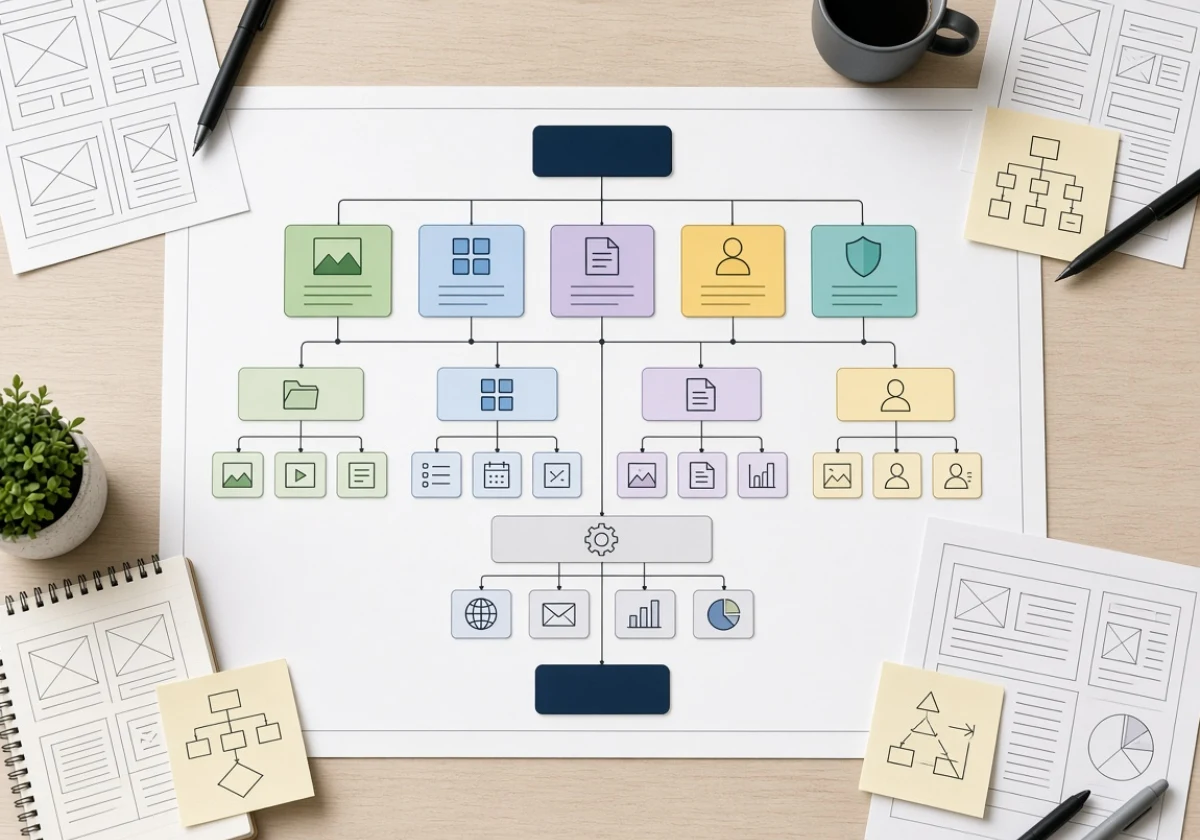
Website architecture is the way your pages connect, from the homepage down to a single service page. Every menu, link and button sits on top of that arrangement.

Because of this, a new feature inherits whatever order you already built. When you bury a quote calculator four levels deep, it gets almost no use. But when you link the same tool from a service page, it earns clicks daily (the position does the work, not the tool).

Designers call the planning side information architecture, and teams map it before a single page goes live. It covers your section labels, the groups your pages fall into, and the path someone follows to what they came for.

In our own rebuilds, the pages redone most often are the ones nobody planned a home for. Blog posts, case studies, and new landing pages each need a parent section and a few internal links pointing to them.

Why Should You Plan Your Site Structure Before Building Anything New?

Plan your site structure before anything else, because every page, link, and menu depends on decisions made early. If you change the hierarchy after launch, you break URLs, menus, and the internal linking that holds everything together. Nobody wants to see a site unravel over a restructure.

That cost is precisely why website architecture belongs in the planning stage, before the build begins. Two payoffs come from getting that sequence right, one for the people using your site and one for the crawlers reading it.

How Site Navigation Helps Visitors Find Key Pages

Clear website navigation helps visitors because it answers two questions at once: where am I, and where can I go next? Nielsen Norman Group found that people often leave a page within 10 to 20 seconds. Actually, they scan rather than read, which is why a menu with seven items beats one with 20.

From there, the pages that earn you money deserve a top-level spot. Service pages, pricing, and contact belong in the main menu, while your Privacy Policy and social media links sit in the footer where they stay out of the way.

You’ll notice the same pattern on any site you use often (the thing you need is never three menus deep). Good user experience comes from that predictability more than from any single design choice.

A simple test: if the page earns revenue or captures a lead, it belongs in the top bar. If it exists for legal compliance or occasional reference, the footer is the right home.

How Crawl Depth Shapes Your Search Visibility

Search engines reward content sitting close to the homepage, because a crawler follows links the same way a person does. Google’s SEO starter guide asks you to group related pages together for the same reason. For instance, a page reachable in three clicks gets visited and refreshed far more often than one sitting at level six.

That said, your URL structure and your menus do double duty. A tidy site structure spreads authority to the pages you want ranking, which is why search engine optimization usually starts with crawl depth instead of keywords.

We have seen technical SEO wins arrive from moving buried pages up a level and linking related posts together (no new content needed, just a shorter path to it). Keyword research still guides what you write, but none of it pays off until a crawler can reach the page.

Web strategist in an office chair reviewing printed wireframe mockups

Website Planning: Map the Site Before Anyone Codes

Your web strategy only pays off once you write it down. Mapping your web architecture saves weeks of rework after developers start building pages and wiring up features. The map needs these three pieces before web development starts:

  1. Sitemap First: List every page you need and group them under parent sections until a hierarchical website structure appears. Gaps show up fast when a page has no logical parent. Fix those in the outline, not in code.
  2. Wireframes For Key Templates: Sketch your homepage, a service page and a blog layout to set where links, headings and buttons land. Keep each sketch to boxes and labels, not colours or fonts, so the focus stays on structure. Developers then build one pattern instead of inventing ten.
  3. Consistent Naming Rules: Decide on labels and folder paths before anyone writes HTML. Use lowercase, hyphens, and plain English so your URL structure stays readable for visitors and crawlers alike. Later additions then slot in without breaking old links.

Keep that map updated as your site grows, because it stays useful long after launch. Good website architecture best practices come down to settling the structure on paper first.

Flat or Deep? Picking the Right Site Hierarchy

Now that your design is mapped, decide how deep your website hierarchy should run.

How deep your hierarchy runs depends on how many pages your site holds. The table below shows where each structure fits

FactorFlat StructureDeep Structure
Clicks to any pageThree or fewerFour or more
Best forSmall sites and service businessesLarge catalogs with many categories
CrawlingCrawlers reach most pages quicklyLower pages get crawled less often
Main riskMenus get crowded as pages growPeople lose track of where they are

Site architecture best practices lean flat for small business sites, where the page count stays manageable. Flat pages also hold their SEO performance better, since crawlers and people both reach them sooner. Depth earns its place only when your categories genuinely need subcategories, and a hierarchical structure handles that without losing people.

Developer at a bright standing desk actively sketching website

Build the Structure First, Then Add the Features

When you get the page order right, the extras start pulling their weight. So, take a look at your own menu this week and count the clicks to your most valuable page. If that number runs higher than three, you have found your first fix.

Westport Osprey plans site structure and builds websites for businesses in Westport, Connecticut, and beyond. Contact the team to review your architecture and get your features working harder.