
Archives 2025

Brand Storytelling Through Story Mapping

How Story Mapping Helps Small Brands Create More Memorable Websites

Did you know that emotionally connected customers have a 306% higher lifetime value than those who only see product features and pricing?

When visitors scroll through pages without personally connecting with the company, they might look for other options. But story mapping can change this by including a business purpose that resonates with people browsing your site.

In this article, we’ll walk through the practical steps of story mapping for smaller brands. We’ll also compare it against traditional design approaches that focus only on aesthetics, and show you the specific mistakes that weaken even good storytelling.

So, if you’re tired of having visitors who never become customers, let’s find out what’s missing.

What Brand Storytelling Means for Your Website

Brand storytelling means embedding your company’s purpose and values throughout your website, rather than just adding a single “About Us” page (And no, you don’t have to invent some origin story or pretend your service saved the world).

Your brand’s story should show up everywhere on your website. Say, your homepage explains why you started this business in the first place. Maybe the product pages connect features to problems your customers deal with daily. Even your contact page can reflect your brand identity instead of just listing an email address.

What Brand Storytelling Means for Your Website

When someone lands on your site, they should immediately understand what you stand for and whether it matches what they’re looking for. A brand story can make all the difference between a visitor who bounces in ten seconds and one who wants to work with you.

Fun Fact: Companies using story-driven loyalty programs see revenues grow 2.5 times faster than competitors.

How Story Mapping Builds Stronger Brand Identity

Story mapping strengthens brand identity by turning abstract ideas into a customer-focused strategy.

Most businesses know they need “better branding” but have no clue where to start. Story mapping can break down that overwhelming task into clear, manageable pieces. So you can connect your business goals with what your customers actually care about.

Let’s look at how this plays out in three specific areas.

Connecting Business Goals to Customer Needs

Instead of guessing what’s important based on competitor websites or industry trends, you’re building from actual pain points with the brand storytelling. For instance, a Westport coffee shop certainly needs a website, but it also needs a site that shows busy commuters why stopping there saves them time compared to the Starbucks down the street.

When you map your brand story first, every business decision gets easier because you know exactly which customer needs you’re solving.

Getting Your Design Team and Business Strategy on the Same Page

Working with Connecticut businesses over the years, we’ve noticed design teams and product managers rarely start on the same page. We’ve seen designers create beautiful sites with perfect color schemes and smooth animations. Meanwhile, the product team built features nobody asked for because they never discussed the customer experience.

Story mapping gives your design team a narrative framework that ties visual choices back to business strategy. That’s how the designer knows why the homepage focuses on speed instead of quality.

Making Strategic Choices Through a Clear Brand Story

When your brand story is mapped out, decision-making becomes faster and way more consistent across your whole team.

Say, someone suggests adding a new feature or changing the pricing page layout. Instead of debating for three meetings, you can simply pull up the story map and ask one simple question: Does this fit our narrative?

You can quickly evaluate whether a new idea reinforces your established story or contradicts it. As a result, teams waste less time in circular discussions because the story map provides clear direction for everyone.

Story Mapping Without Complicated Tools

A lot of people think story mapping requires expensive workshops or fancy software, but you can start with a whiteboard and 30 minutes. The whole process comes down to answering a few honest questions about your business. And then you get to organize those answers into a structure that makes sense for your website.

This is how you can start with foundation work.

Story Mapping Without Complicated Tools

Building Your Product Strategy First

You can start by documenting why your business exists beyond just making money or selling products. It could be answers to questions like: what problem were you sick of seeing in your industry?

Your brand’s values need to show up in your actions, too. If you say you value transparency but hide your pricing until someone books a call, that’s a mismatch, and your target audience will notice immediately.

Pro Tip: Write down the specific moments where customers interact with your brand across different channels. For that, you can map out every touchpoint from the first Google search to the thank-you email after purchase.

Linking Customer Touchpoints to Your Digital Marketing Plan

First, your homepage should introduce the problem your customers are facing right now. And product pages should show the solution in concrete terms. You can also add testimonials that prove the effectiveness of your product for people like them.

After that, digital marketers can then create content that reinforces the story at each of your website’s touchpoints. When your blog posts, social media updates, and email campaigns all flow from the same story map, your marketing strategy stops feeling scattered.

Story Mapping vs Traditional Design Strategy

Traditional design strategy focuses on how your website looks, while story mapping focuses on how your website makes people feel and what action they take next.

We’ve watched this play out dozens of times with new clients. Story mapping starts with the emotional journey and lets design choices support that path instead of existing just for aesthetics. While old-school approaches create pretty websites that only win design awards.

Take a look at how the two approaches actually differ in practice:

Traditional Design StrategyStory Mapping Approach
Starts with visual aesthetics and layoutsStarts with the customer’s emotional journey
Focuses on technical specs and featuresFocuses on transformation and outcomes
Designer-driven decisionsStory-driven design choices
Asks, “Does this look good?”Asks “Does this support our narrative?”
Success is measured by design awardsSuccess is measured by conversions and connections
Works in isolation from business strategyIntegrates directly with business objectives

The difference will appearin your analytics within weeks. Pretty designs that don’t convert are basically expensive wallpaper. But story-driven design creates websites that actually convert visitors and build genuine connections with people who are important to your business.

Can Small Brands Compete Using Story-Driven Product Design?

Small brands can reach the competitive edge using story-driven design because it allows them to create authentic, focused messaging without the high costs that big companies face.

Large companies have marketing departments, agency retainers, and enough money to run A/B tests for months. But story mapping won’t cost you a fortune. Instead, you’re just spending hours.

Can Small Brands Compete Using Story-Driven Product Design?

Here’s what actually gives small brands the advantage:

  • Authenticity Over Polish: Usually, corporate brands hire consultants to manufacture authenticity, and people can smell that from a mile away. But when you’re the founder answering customer emails at 11 PM, that translates as sincerity. 
  • Low Barrier To Entry: Story mapping costs time, not money, which makes it perfect for businesses without huge marketing budgets. You don’t need expensive tools or consultants to map your brand story. You can simply grab a whiteboard and honestly answer why you started this business. 
  • Real Relationships Win: Small businesses know their customers by name. Maybe you remember the regular who always orders the same thing or the client who referred three friends. You can turn those relationships into compelling stories on your website to build a genuine connection.

Neuroscience research confirms that authentic experiences create lasting emotional connections while a single misstep can permanently damage customer relationships.

People root for small businesses when they feel the authentic human story behind them (the underdog advantage is real, folks). And story mapping helps you showcase that authenticity in ways that big corporate brands simply cannot replicate.

Time to Map Out Your Business Success

Story mapping turns scattered brand ideas into a design strategy that connects with customers. When you align your business goals with customer needs through narrative, your website becomes more than just pretty pages. Instead, it becomes a tool for building relationships and trust that actually lead to sales.

Your business already has the raw materials for great storytelling. Maybe you’ve got customer wins, founder insights, and real problems you’ve solved. You only need to organize those elements into a coherent story that guides every design and content choice.

If you’re ready to create a website that tells your brand story the right way, the team at Westport Osprey can help you map out an effective design strategy. So, start with your story, and let everything else follow from there.


Minimalist Design Boosts Conversions

Why Minimalist Design Wins: Simpler Pages, Faster Decisions

Minimalist design reduces cognitive load and helps users find what they need faster with less effort. To back this up, Nielsen Norman Group found that users are 47% more efficient when tasks are presented in clean, uncluttered formats.

People usually scan websites in seconds, and if they can’t immediately spot what they need, they’re gone. For example, if you have five call-to-action buttons, visitors will likely land on your page and freeze because there are too many elements competing for attention.

In this article, we’ll walk through how minimalist design pushes visitors toward action instead of confusion. We’ll also trace where this minimalist movement started, and show you which page elements you can cut to bring customers.

Let’s get faster conversions by next week.

What Is Minimalist Design? (And Why People Respond to It)

Minimalist design focuses on removing unnecessary elements so users can quickly understand the content and act without distraction. That’s why people find it easier and more satisfying to use. Think clean lines, plenty of white space, and a focus on one main action per page instead of ten competing buttons.

This style became popular in architecture and interior design back in the 1980s. Designers got tired of ornate, crowded looks and wanted something that felt neat. Ultimately, what worked for buildings and furniture turned out to work even better for websites.

The goal of this style is simple: make it easy for visitors to find what they want and take the next step without getting distracted by everything else on the page.

Your Brain on Minimalist Style: Why Less Feels Like More

Your Brain on Minimalist Style: Why Less Feels Like More

Minimalist design aligns with how the brain processes information and makes experiences feel more intuitive. When a page removes distractions, the brain can prioritize what’s more important.

Here’s what happens inside your brain when you land on a minimalist page.

Fewer Choices Mean Faster Decisions

When people are presented with too many options, they usually hesitate or freeze up altogether. Psychologists call this response choice paralysis. Using this theory, reducing the number of visible options to just two or three can help visitors make decisions quickly and confidently.

We saw this firsthand while redesigning a Westport restaurant’s online ordering page last spring. By cutting the menu options in half, conversions increased by almost 42% within the first month.

Clean Layouts Give Your Eyes a Break

Your brain processes visual information faster when there’s breathing room between elements. Which is why white space guides attention to what’s important instead of making eyes dart around.

In fact, usability tests show that pages with more white space improve comprehension by up to 20%. It’s simply because the main elements are easier to notice and understand. That extra room creates an uncluttered space where essential elements stand out.

Simple Design Feels More Trustworthy

Busy pages with flashing buttons and popups can make users feel like the page is hiding something (yes, those sites that give off ‘used car salesman’ energy). Contrastingly, minimalist space looks professional and honest.

When the layout is clean and focused, visitors feel more at ease. And that sense of trust makes them far more willing to click the buy button.

The Origins of Minimalist Design Style

Ever wonder why every modern website looks cleaner than sites from 10 years ago? It’s because minimalist style kicked off when designers got tired of the ornate, crowded looks that felt stuffy and overdone.

This style has roots going back to the 1920s with movements like Bauhaus in Germany, but it really took off as a cultural force in the 1960s when artists and designers stripped away decoration across every creative field.

The Origins of Minimalist Design Style

Then, architects like Mies van der Rohe pushed the concept of “less is more” in buildings and furniture. Along with that, Japanese interior design influenced Western minimalist interior design style with zen-like simplicity and natural materials. Those designs had clean lines, neutral colors, and only the bare essentials.

Funny how history repeats itself. These design principles ended up resurfacing when people realized that removing excess made spaces feel calmer and more honest.

Minimalist Design vs. Other Design Trends

If you’ve ever walked into a room and immediately felt calm versus one that made your eyes dart everywhere, you already understand the difference. The way a space looks changes how you feel in it.

Minimalist design sticks to the bare essentials. Say, a monochromatic palette with maybe one accent color, open plan layouts with breathing room, and no clutter competing for attention. Other design styles are usually heavier and decorative.

Here’s how minimalist design feels different from other popular styles.

Design StyleMain FeaturesBest For
MinimalistNeutral tones, clean lines, limited materials, no excess ornamentationBusiness websites, landing pages, and apps that need quick decisions 
MaximalistBold patterns, multiple textures, decorative pieces everywhere, vibrant colorsCreative portfolios, art galleries, and brands that want high energy
ModernBold shapes, glass and steel, statement pieces, tech features, strong geometric formsCorporate sites, tech companies, and brands showing innovation
ScandinavianNatural materials, simple forms, functional furniture, light wood, cozy minimalismLifestyle brands, home goods, wellness companies

Different systems work for different goals, but minimalist design fits most business websites. Especially when you need people to take action fast, uncluttered aesthetics are perfect. This design philosophy removes everything that doesn’t help visitors complete their task.

Does Minimalist Space Help Unit Conversions?

In one word, yes. Minimalist design improves conversions by making pages easier to steer, speeding up decision-making, and building user trust. Now that you know why minimalist design feels better to visitors, here’s how it affects your actual business metrics.

Page Load Speed Gets Better With Fewer Elements

Every extra element on your page adds weight, and that weight translates directly into wait time for your visitors. When there are fewer images and scripts, it means pages load in under 2 seconds instead of 5.

Also, Google ranks faster sites higher, so you get more organic traffic automatically. These speed improvements hit two birds with one stone: they provide a better user experience and higher search rankings without requiring extra money on ads.

Does Minimalist Space Help Unit Conversions?

People Stay Longer When Pages Look Clean

We’ve seen visitors spend more time on minimalist pages because they’re easier to scan. When you strip away the visual chaos, people can focus on your content instead of getting overwhelmed.

After redesigning three client sites with cleaner layouts this year, we tracked session times that doubled compared to their old cluttered pages. Along with that, bounce rates also dropped because people weren’t hit with visual overload the second they landed.

Bare Essentials Design Makes CTRs Stand Out

Your call-to-action shouldn’t have to compete with five other buttons, three popups, and a sidebar full of distractions. When there’s one clear button on a clean background, click-through rates jump because visitors can now take an action

Conversion rate optimization gets easier when you remove distractions competing for attention. In short, give people one clear path forward, and they’ll take it.

Keep It Simple and See What Happens

Sometimes the best way to grow your business is by removing the things that are holding it back. When you strip pages down to only what’s important, visitors can move faster and convert more often. And minimalist design respects how people browse and make decisions online.

You don’t need a complete website overhaul to test this approach. We suggest starting with one high-traffic page and removing half the visual elements. Then observe what happens to your metrics over the next two weeks. With our recommended approach, most businesses see bounce rates drop and conversions climb within days.

If you’re looking for a team that understands minimalist design, Westport Osprey can help you. We’re experts in building pages that look clean and perform even better.

Good Web Design Matters for Business Growth

Why Good Web Design Matters for Business Growth

Running a small business means juggling a hundred different priorities, and your website might not feel like the most urgent one. But here’s the thing: your site is working for you around the clock, and if it’s not designed well, it’s probably turning away customers you’ll never even know about.

Poor navigation, slow loading times, or a layout that looks dated can make visitors doubt your credibility before they’ve read anything. Thankfully, good web design fixes these problems, and even more amazingly, it can potentially turn casual browsers into leads.

So, if you want to capture those leads in time, join us as we explore how thoughtful design improves your results and what you should look for in a web design partner.

Ready? Let’s begin!

How Web Design Builds Trust with Potential Customers

Ever clicked away from a site within seconds because something just felt dodgy? We’ve been there. In fact, people size up a business based on its website in less than a second. Your site’s appearance tells visitors whether you’re legitimate or whether they should keep scrolling.

Here’s what makes the difference:

  • Professional visuals signal competence. Clean layouts, quality images, and consistent branding show you take your business seriously. When a site looks thrown together or hasn’t been updated since 2010, people assume the business behind it operates the same way.
  • Easy-to-find contact details build confidence. If visitors have to hunt for your phone number or physical address, they’ll wonder what else you’re hiding. This is why we always tell local Brisbane businesses to display this information prominently to reassure potential customers that you’re real and accessible.
  • Clear service descriptions remove doubt. Vague language or confusing navigation makes people work too hard to understand what you offer. When your site communicates clearly, visitors can quickly decide if you’re the right fit for their needs.
  • Trust badges and testimonials add social proof. Seeing that other customers had positive experiences permits newcomers to take the next step. Showcase reviews, case studies, or even logos of clients you’ve worked with help validate your expertise.

The truth is, professional web design creates the same impression as a well-maintained shopfront. You wouldn’t expect customers to walk into a run-down store with peeling paint, so why send them to a website that gives off the same vibe?

Now that you have your visitors engaged, we’ll give you a quick hack to turn them into paying customers.

Turning Website Visitors Into Paying Customers

When someone lands on your site, they’re asking themselves: “Can this business solve my problem?” Your job is to make answering that question as easy as possible.

First things first, create a strategic layout. If you want people to move through your site instead of bouncing off, you need to add clear calls-to-action, obvious contact buttons, and a logical flow from one page to another, to keep people moving. When someone has to think too hard about what to do next, they’ll just leave.

Nowadays, mobile responsiveness just isn’t optional. More than half of web traffic comes from phones, and if your site doesn’t work smoothly on a small screen, you’re losing those customers. Take this as your reminder to fix buttons that are too small to tap, text that requires zooming, or pages that load sideways, when you’re optimising your site for small devices.

Speed matters more than you’d think. We’ve seen businesses lose sales simply because their pages took too long to load. People won’t wait around, and research shows that three seconds is about all the patience most visitors have. Make sure your website is built properly from the start, and talk to your designers and developers about maximising speed.

The goal isn’t to wow people with flashy features. It’s to create a path that feels natural. When someone can find what they need, understand your services, and contact you without friction, they’re far more likely to become paying customers.

If you’ve been following along, by now you should have a good-looking website that works like a well-oiled machine. Sadly, for small businesses, that’s not enough (sorry to be a downer.)

But we’ll explain how you can use a few digital marketing tactics to boost your website even more.

Why Small Business Growth Depends on Digital Marketing

Let’s think about how people find you online. Chances are that someone searched Google for services in their area, clicked through from your social media, or followed a link in your email newsletter. Hopefully, all those paths lead to your website.

Small Business Growth Depends on Digital Marketing

But if the landing experience doesn’t match what they expected, or worse, if it’s slow and confusing, they’ll leave before you get a chance to make your pitch. Below are a few things you need to watch out for:

SEO Needs Solid Design

Google ranks sites that load quickly, work well on mobile devices, and provide valuable information to visitors. You can pump money into SEO services all day, but if your site’s structure is a mess, you’re fighting an uphill battle.

Remember, a clean code, proper headings, and intuitive navigation all factor into how search engines see your business.

Social Media Clicks Need Good Landing Pages

Posting on Facebook or Instagram might bring clicks, but those clicks mean nothing if your site doesn’t deliver. We’ve watched small business owners spend hundreds on ads only to send traffic to outdated websites that don’t support their goals. All you need to do is ensure that your design aligns with whatever platform you’re using to promote your services.

Email and Lead Capture Must Work Smoothly

You craft the perfect message, get people to click, and then… they land on a page that loads slowly or doesn’t clearly explain what to do next.

Also, email marketing only pays off when the destination pulls its weight. For example, forms that ask for too much information, contact pages buried three clicks deep, or unclear calls-to-action all create friction. So, the easier you make it for potential customers to reach out, the more leads you’ll generate.

Here’s the bottom line: digital marketing brings people to your door, but web design decides whether they walk in. Both pieces have to work together for small business growth to happen. You can’t separate one from the other and expect results.

Once you have a clear idea of how your website should look and function, you need to find a design team that specialises in your target audience, and we’ll show you how below.

Finding Web Design Brisbane Teams with Local Business Experience

Shopping for web designers can feel overwhelming, especially when you’re comparing portfolios that all start to look the same after a while.

Let’s know what’s important in reality. You need someone who gets Australian business, understands your target market, and won’t disappear after they launch your site.

Why Local Knowledge Matters

Local teams have an edge because they know how Brisbane customers think and what they expect from businesses in the area. They understand the local industry landscape, the competition you’re up against, and how to position your services for your target audience.

Communication and Support to Count On

You want a team that speaks plainly, responds when you have questions, and doesn’t hide behind technical jargon when something goes wrong.

Drawing from our experience working with various agencies, the ones that deliver valuable information upfront and maintain clear communication throughout the process tend to produce better results.

In short, you shouldn’t have to chase people down for updates on your own website.

Technical Skills That Count

WordPress is the platform most small business owners can actually manage themselves once the site goes live, and a good designer will set it up so you can update content without calling them every time. Before you sign on a team, ask them about their WordPress knowledge and how they’ll support you after launch.

By the way, SEO shouldn’t be an afterthought either. Some designers build beautiful sites that Google basically ignores because they didn’t plan for search visibility from the start. So, make sure whoever you hire understands how to structure pages, optimise images, and create content that actually ranks.

And from our personal experience, the maintenance and ongoing support separate good partners from those who vanish after they get paid. Sites need updates, security patches, and occasional troubleshooting. Clarify upfront what kind of support they offer and whether that fits your budget and needs for the long term.

Your team is finally set up and ready to build your online presence. So, before everything goes live, here’s a quick checklist of features you must have on your website.

Must-Have Features for E-commerce and Online Stores

Running an online store adds a whole different layer of complexity to web design. Your online store needs features that make people feel safe handing over their credit card details and actually complete the checkout process.

Make sure your store has these essentials:

  • Secure payment systems: Keep trust badges, SSL certificates, and secure payment gateways working around the clock. If your checkout page doesn’t have that little padlock icon in the browser, people will bail before entering their card details.
  • Simple navigation for your target audience: Clear categories, intuitive search functions, and logical product groupings make the difference between browsers and buyers. The buying process must be noticeable, quick, and effortless.
  • Product pages that actually sell: Good photos from multiple angles, clear descriptions that answer common questions, visible pricing, and obvious “add to cart” buttons all work together to move people toward purchase.
  • Frictionless checkout: Every extra field you ask people to fill out increases the chance they’ll abandon their cart. Guest checkout options and progress indicators help people complete their purchase instead of giving up halfway through.

Stop Sending Leads to Your Competitors

Running a small business means making tough choices about where to invest your time and money. Your website might not feel urgent compared to everything else on your plate, but it’s working around the clock to either win customers or send them elsewhere.

We’ve covered how good web design builds trust with potential customers, turns visitors into buyers, supports your digital marketing efforts, and why finding the right Brisbane team matters for long-term success. We also looked at what e-commerce stores need to actually convert browsers into paying customers.

The truth is, your site either helps your business grow or holds it back. If you’re ready to stop losing leads to a website that isn’t pulling its weight, take a look at what Westport Osprey has to offer. Because sometimes the best investment you can make is fixing the one thing working 24/7 for your business!

Local SEO for Westport Businesses: Stand Out in Your Community

Local SEO for Westport Businesses: Stand Out in Your Community

Westport customers are searching online right now. The question is, will they find your business or someone else’s?

Local SEO is how you make sure they find you first. It improves your visibility in local search results, brings more people to your door, and helps you stand out from the competition in your area.

This guide breaks down what local SEO means, how it works, and the exact steps to get it right. Along the way, we’ll share practical tools, real examples, and insights drawn from our experience helping businesses get noticed online.

If you’re looking for a way to grow your local visibility without ads or guesswork, you’re in the right place. Read on to find out how.

Understanding SEO for Your Business

SEO, or Search Engine Optimization, helps people find your business online when they search for what you offer. It involves improving various aspects of your website so that search engines like Google can better understand and rank your content.

This includes optimizing page titles, using relevant keywords, and ensuring your site is mobile-friendly.

These improvements help your website show up more often when people search for the services you offer. For instance, if someone in Westport searches for “best local bakery,” effective SEO increases the chances that your bakery appears at the top of the results.

This is especially important for local businesses. Most people searching for a local business want something nearby, and they usually choose from the first few results. If your site is not there, they will find someone else.

SEO helps your website earn this desired top-level position. It does this by aligning your site’s content with what people are searching for, building trust through quality backlinks, and ensuring a seamless user experience. You do not need a huge budget or a tech team. A clear plan and consistent effort are enough.

In fact, 76% of people who search on their smartphones for something nearby visit a business within a day, and 28% of those searches result in a purchase. (Source: Think with Google)

Now that we know what SEO is, let’s explore how to apply it right in your business.

Boosting Your Westport Presence Using Local SEO

Boosting Your Westport Presence Using Local SEO

Local shoppers often decide where to go based on what they see in search results. If your business is not listed there, you’re already behind. People trust what shows up first, and they often choose a top result without scrolling much further.

Local SEO puts your business in front of people who are nearby and ready to act. It works by tying your website and online listings to your physical location. That means using Westport-specific keywords, optimizing your Google Business Profile, and building strong local links.

In our experience, we have found that when businesses include their location in page titles, service descriptions, and even blog posts, they get more traffic from local searches. One client saw a 43% increase in calls after making these changes.

Another smart move is to join local directories and business groups. These links to your website signal to Google that your business matters in the local area.

Let’s move on to your website next. That is where we will make sure all these local signals come together clearly.

Optimizing Your Business Website

Think of your website as the foundation of your entire SEO strategy. If it is not built properly, everything else you do will be less effective. A well-optimized website attracts more visitors and keeps them engaged. This increases the chance of conversions.

Optimizing your website means making it easier for both people and search engines to understand what you do, where you are, and how to reach you. We determined through our tests that just a few simple changes can significantly enhance your site’s performance.

For example:

  • Speeding up your site with image compression and clean code ensures faster load times.
  • Updating your meta titles and descriptions with real, local keywords helps search engines index your content accurately.
  • Organizing your pages so that each service and location has its own URL improves user experience and SEO.

These changes help Google connect the dots and help users easily surf your site. When users stay longer or take action, your rankings improve because search engines interpret this behavior as a sign of valuable content.

According to Think with Google, 53% of mobile users will leave a site that takes longer than 3 seconds to load. This means if your site is slow, you could be losing over half your potential customers before they even see what your business offers.

Now that your website is in shape, it is time to make sure the rest of your online presence supports that success, starting with your business listings and customer reviews.

Expanding Website Reach Through Online Directories and Reviews

Local SEO doesn’t stop at your website. To truly boost your visibility, you also need accurate listings and a steady stream of online reviews. These two elements help search engines trust your business, and they influence how real customers choose where to go next.

Expanding Website Reach Through Online Directories and Reviews

Keeping Your Listings Accurate and Consistent

Business listings (also known as citations) are online mentions of your business name, address, and phone number (NAP). Google uses these to check if your business is real and trustworthy. Inconsistent or outdated info can hold back your rankings.

Here’s what to do:

  • Claim your listings on Google Business Profile, Bing Places, and Apple Maps.
  • Check your NAP (name, address, phone) for accuracy across all platforms.
  • Submit your business to local Westport directories, chamber of commerce sites, and industry-specific platforms.

These steps ensure that your business appears in more search results and earns credibility online.

Getting and Managing Online Reviews

Online reviews are often the deciding factor when someone chooses one local business over another. People trust feedback from other customers more than marketing copy.

A strong rating gives new customers confidence, while a lack of reviews can raise doubts. Search engines also favour businesses with recent, positive reviews because they see them as active and trustworthy.

Here’s how to get them working for you:

  • Ask happy customers to leave reviews on Google, Facebook, or relevant directories.
  • Send follow-up messages after a visit or purchase with a direct review link.
  • Respond to all reviews, especially negative ones, to show that you care and resolve issues.
  • Feature standout reviews on your website or social media to build trust with new visitors.

Drawing from our experience, a local café in Westport that had no online presence began asking loyal customers to leave short reviews after each visit. Within a month, they gained over 30 new reviews and jumped from position 9 to 3 in Google’s local pack. They also saw a 15% increase in bookings, most of which came directly through search.

Essential SEO Tools for Small Businesses

SEO can feel like a puzzle, but the right tools help put the pieces together. Using only a few reliable tools can simplify the work and gain clear insights into your website’s performance.

Start with these:

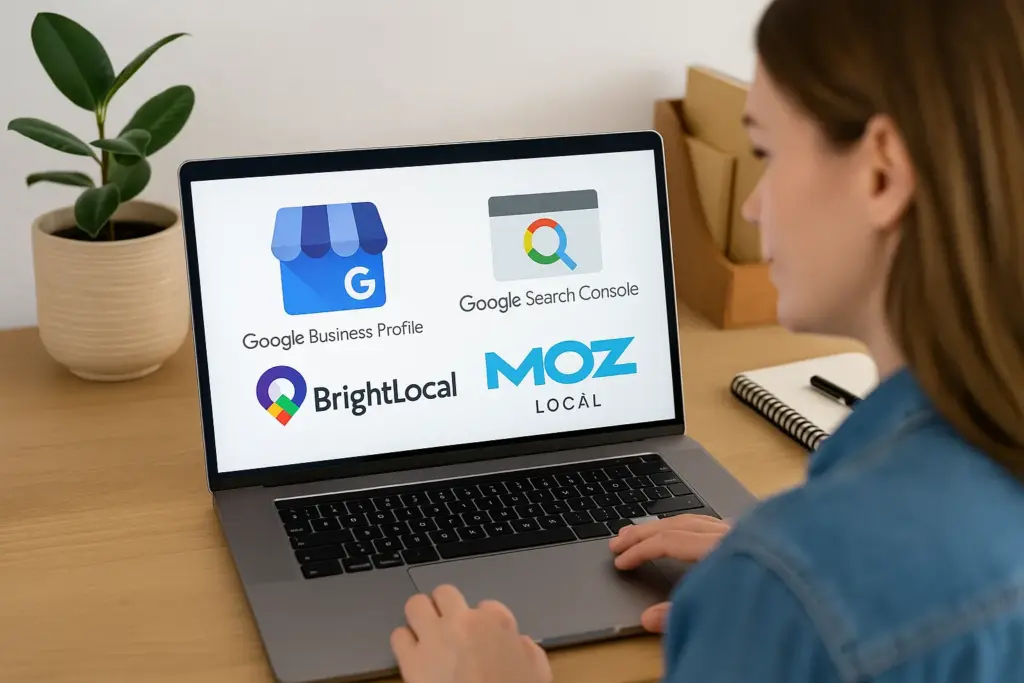
  • Google Business Profile: Manage how your business appears in Google Search and Maps through your Google Business Profile. Keep your hours, location, and contact info up to date. A complete and accurate profile helps customers find and connect with your business more easily.
  • Google Search Console: Monitor your website’s performance in Google Search. Identify which keywords bring traffic, spot broken links, and understand how Google views your site. Google Search Console provides valuable data to improve your site’s visibility.
  • BrightLocal: Combine reviews, listings, and local rankings into one easy-to-use dashboard. BrightLocal helps you track your local SEO performance and manage your online reputation effectively.
  • Moz Local: Ensure your business details are consistent across multiple directories. Moz Local helps you manage your online listings efficiently, which is important for maintaining a strong local presence.
Essential SEO Tools for Small Businesses

Based on our observations, businesses that regularly use these tools tend to rank higher in search results and can proactively address issues before they escalate.

Pro Tip: If you’re just getting started, begin with the Google Business Profile. Claiming and optimizing your listing is an important first step in enhancing your local SEO.

Coming up next, we’ll focus on creating content that keeps bringing people to your site long after they’ve visited.

Creating Valuable Content for Your Website Audience

Great content turns curious searchers into loyal customers. If your site answers their questions clearly, they’ll stay longer and they’ll be more convinced to call or book. The longer they stay, the more Google sees your content as useful, which helps push you higher in local search results.

Good SEO content does three things:

  • Shows your expertise: Don’t just say what you do, explain how it helps. If you’re a local painter, write about how to choose weather-resistant paint for a coastal climate. Use real examples from recent jobs and describe what made those outcomes successful. The more specific you are, the more trust you build.
  • Targets the right keywords: Include phrases people often search for, like “Westport pet grooming.” You can find these by typing your service into Google and looking at the autocomplete or “people also ask” boxes. Use the exact phrases in your page titles, subheadings, and opening lines to improve your chances of showing up.
  • Proves your relevance: Link your content to local events, seasons, or current issues. A post about “prepping your home for hurricane season in Westport” shows that your business is tuned in to the community. That local context tells both Google and your readers that you understand their needs.

Not sure what to write about? Start with your most common customer questions. Then expand into short guides, seasonal advice, or “how-to” tutorials. Even a quick blog about “how to keep your pipes from freezing in winter” can bring steady traffic if it solves a real problem.

You’re writing to help the people in your town, and that’s what makes Google notice. Consistent, useful content shows that your site is alive, trusted, and deserves to be found.

Tracking Your SEO Performance

Tracking SEO Performance

If you want better SEO results, you need to track what’s happening behind the scenes. Metrics show whether your site is attracting the right people and turning visits into real business. Without tracking, it’s impossible to know if your time and effort are paying off.

Here’s where to focus your attention:

  • Traffic: Use Google Analytics to see how many people visit your site, what pages they read, and how long they stay. These signals tell Google how useful your content is. A sudden spike might mean your content is being shared, while a drop could signal a technical issue or weak content. Over time, tracking this helps you refine your pages.
  • Search performance: Google Search Console shows what keywords people use to find you and how often they click through. You can see if you’re ranking for local terms like “Westport electrician” and track how that changes over time. Use this data to update your pages with higher-performing keywords.
  • Local visibility: Tools like BrightLocal help you track where your business appears in Google Maps and the local 3-pack. You’ll see if you’re ranking higher in your area or slipping behind competitors, and it helps measure the impact of reviews, listings, and on-site changes.
  • Conversions: Track actions like contact form submissions, phone calls, or bookings. These are your bottom-line results. Tools like Google Analytics or even basic call-tracking numbers can help you understand what’s driving customer action.

Pro Tip: Pick one metric that matters to you, like traffic or calls, and begin tracking it today. Doing this consistently helps you see patterns, avoid wasted effort, and focus your time on what moves the needle.

Visibility That Brings Results

Building local SEO is like planting seeds. You won’t see instant results, but with the right effort, it grows into steady visibility and long-term business.

We’ve covered the most impactful ways to attract local customers online. You know how to update your listings, ask for reviews, create helpful content, and measure what works.

Each of these steps supports your business by building real trust with search engines and your community.

Now’s the time to start turning that knowledge into action. Take one step today. Then another tomorrow. Before long, your business will be the one people find, trust, and choose.

To move faster, visit Westport Osprey and explore our tools and resources built for local businesses like yours.

best social media for business

Top Social Media Platforms for Business Growth in 2025

If you’re unsure where to spend your time on social media in 2025, you’re in the right place.

We’ve helped dozens of businesses sharpen their online presence, grow followings, and turn attention into sales. Without needing to be on every platform. From Facebook and LinkedIn to TikTok and newer channels, we’ve seen what actually works through hands-on experience.

This guide covers:

  • The best social media for business this year
  • Smarter ways to manage your time and content
  • Tips to connect with your target audience using content that feels human

Social media now drives visibility, reputation, and relationships. It helps you attract new customers, deliver real value, and shape how people see your brand. But picking the right channels and keeping up with social media content can get overwhelming quickly.

We’ll break it down step by step so you can focus, show up better, and grow with confidence. First, start with knowing about the most popular social media platforms.

target audience

Best Social Media for Business

Choosing the right social media platform starts with knowing what each one helps you do best. Let’s know more..

  • Facebook continues to lead with over 3 billion monthly active users. It works well for building communities and keeping your business visible in people’s everyday lives. Many brands use it to stay top of mind between purchases by posting helpful updates or running ads that feel familiar.
  • Instagram is strong for lifestyle brands. It has over 2 billion active users, mostly under 35. This platform rewards visual content and personal moments. If your product photographs well or your story is worth sharing, Instagram makes that connection feel natural.
  • LinkedIn is all about trust and credibility. With 310 million monthly users, it focuses on professional content that helps others learn or make decisions. It’s great for consultants, B2B providers, or service brands looking to build authority.
  • YouTube is built for entertainment and both long and short videos. Over 2.5 billion people use it monthly. Long-form content here keeps working long after it’s published. If you create how-tos or product explainers, this platform helps build traffic and trust at the same time.
  • TikTok now draws more than 1.5 billion users each month. It suits businesses that are willing to be real and creative. Even small brands can gain traction quickly here by sharing simple ideas with personality.
  • X, formerly Twitter, is for fast conversations. Around 611 million people use it monthly. It helps you join trending topics or share smart takes. If your brand has a clear voice, this platform gives it room to grow.

Each of these platforms supports a different kind of connection. Focus on where your audience spends time and where you enjoy showing up. That’s the start of a social media strategy you’ll actually want to stick with.

Platform-Specific Content Creation Ideas

One of the biggest mistakes we see is trying to post the same thing everywhere. It’s like wearing the same outfit to the gym, a wedding, and a job interview. Based on our past experiences helping small teams manage their content, what matters most is matching your style to where you’re sharing it.

Let’s walk through five major platforms and what actually works on each.

TikTok

TikTok is best for sharing informal videos, like DIY videos. TikTok works when things feel easy, casual, and a bit off-the-cuff. We’ve seen brands grow by keeping things light, even with very simple videos. So, what’s the trick to dominate this platform?

Try sharing:

  • A packing clip with a trending sound in the background
  • A 10-second “before and after” moment that shows progress
  • A fast answer to a question you get asked all the time
  • A moment from your day that makes people smile or nod

Drawing from our experience, the best short videos feel like something you’d send a friend.

Instagram

Instagram is better for sharing moments. It’s where people decide if you’re someone they want to follow or buy from. A fancy setup like YouTube is nothing but a waste here. All you need to do is share moments that feel genuine and look clean.

Post things like:

  • A Reel showing your product in use with a soft, personal caption
  • A carousel that breaks down a simple how-to
  • A behind-the-scenes photo with a quick note about your day
  • A poll or question sticker in your Stories to ask what people think

Based on our firsthand experience, visual content that invites a small interaction tends to work best here.

Instagram

LinkedIn

LinkedIn is the go-to place if you want to uphold your professional expertise. If Instagram is your shop window, LinkedIn is your meeting room. People here want to learn, connect, and understand what makes you good at what you do. It’s less about volume, more about showing up with something honest to say. LinkedIn is sort of like a professional place, so you shouldn’t put extremely informal videos here.

Some ideas:

  • A short story about a mistake and what it taught you
  • A client result with one takeaway that others can apply
  • A note about how you’ve changed your process and why
  • A post that reflects on what’s changing in your industry

Through our hands-on experience, thoughtful posts like these bring in messages, not just likes.

X (formerly Twitter)

We recommend X for keeping pace with the fast-moving world. It moves fast, but if you say something smart or helpful, people notice. You don’t need to post constantly. Just consistently, with a clear voice.

Post these ideas for a better outcome:

  • A 3-tweet thread breaking down something you’ve learned
  • A comment on a trending topic, paired with your take
  • A quick “did you know?” followed by a tip or stat
  • A link to your blog or article with one line that adds value

We determined through our tests that tweeting a few times a week builds steady attention over time.

YouTube

YouTube is where people stop scrolling and actually watch. It’s for helping, explaining, and showing how things work. You don’t need a studio. Just a clear idea, a steady camera, and something useful to say is enough to start.

Try filming:

  • A simple “here’s how we do it” walk-through from your workspace
  • A comparison between two tools or approaches, based on what you’ve used
  • A 5-minute tip list that solves a small but annoying problem
  • A video answering a real customer’s question with clear steps

Our analysis has shown that this kind of video content keeps bringing in new viewers long after it’s posted.

Social Media Channels You Might Be Overlooking

It’s easy to stay focused on the big names. But sometimes, your best audience isn’t where the spotlight is. Based on our past experiences working with smaller brands, we’ve seen real traction come from lesser-known platforms that feel more personal and less crowded.

Social Media Channels

Here are three worth exploring.

Reddit

Reddit is a network of conversations happening around almost any topic you can think of. As of late 2024, Reddit had 97.2 million daily active users. That’s a lot of people who are already in research or opinion-sharing mode.

You can try these things to make real progress:

  • A post in a niche subreddit to share honest advice or experience
  • Following threads where people ask for recommendations in your space
  • Hosting an AMA (Ask Me Anything) to connect directly with curious users

We’ve seen small skincare brands answer questions in beauty forums and walk away with dozens of new followers. People trust real answers from those who’ve done the work. If you can give without pushing, this space listens.

Discord

Discord started with gamers, but now it’s where all kinds of communities come together. It has grown far beyond gaming because of its uniqueness. Private servers, topic-based channels, and real-time chat make it feel more personal and interactive than most platforms. As of 2024, it supports over 196 million monthly users and is used by creators, educators, and even SaaS brands to build tight-knit groups.

Try these strategies to utilize this platform effectively:

  • Create a private server for customers to ask questions or swap ideas
  • Host a live Q&A or demo session for your community
  • Share updates and get feedback quickly in a place that feels more direct

We helped a coaching business set up a simple Discord server. Within weeks, their clients were answering each other’s questions. That level of trust and self-sustaining value is hard to build anywhere else.

Threads

Threads, built by Meta, reached 275 million monthly users by late 2024. It’s focused on conversations, short, real ones and it’s still early enough to stand out.

You might use it to:

  • Share quick takes or thoughts while working through ideas
  • Ask your audience simple, direct questions to start engagement
  • Post reactions or summaries during live events

One fitness coach we worked with started sharing daily thoughts on Threads. Not workouts we repeat, thoughts. Over time, people replied more to those posts than to any top-notch video. Sometimes, honesty beats editing. Proved!

Smarter Use of Multiple Platforms Without Burning Out

Alex runs a small team with limited time and big goals. At first, they tried to post on Instagram, TikTok, X, and YouTube all at once. The idea was to reach more people. But within weeks, they were burned out, and the results were scattered. Nothing was sticking.

After putting it to the test, they made one change. Instead of creating new content for every platform, they focused on one strong idea each week and used that across the board.

Here’s how it looked:

  • Monday: A customer tip shared as a LinkedIn post
  • Tuesday: The same tip turned into a 15-second Reel for Instagram
  • Thursday: A follow-up thread on X, using real examples
  • Friday: A quick “how we use this tip” walkthrough on YouTube Shorts

This simple change gave every piece of content more reach. It also reduced the mental load.

Use of Multiple Platforms

We’ve helped brands take this same approach. One idea, one message, just told in different shapes. Based on our firsthand experience, this kind of content reuse doesn’t just save time. It also helps your brand sound like one clear voice.

You don’t need to be everywhere to make an impact. You need to be present where it counts.

Social Media Apps and Tools to Make It Easier

Do you need every tool out there? No. But you do need the right ones. The kind that actually saves time and keeps things moving when life gets busy. Through our practical knowledge working with solo founders and small teams, we’ve found that these tools are the ones people tend to stick with.

Here’s what we recommend starting with:

  • Canva (Free + Paid)
    If you’ve ever struggled with making your content look “right,” Canva helps. It gives you templates for Reels, Stories, thumbnails, and more. No design skills needed. You can also set your brand colours and fonts so everything stays consistent.
  • Buffer (Free + Paid)
    A good tool if you want to batch your content and not worry about it every day. Buffer lets you schedule posts for different platforms at once. It gives a simple view of what’s coming up next. It’s especially helpful if you post regularly but don’t want to be online all the time.
  • Later (Free + Paid)
    This one’s built for visual planners. You can drag your Instagram posts into a calendar and see how they’ll look on your grid. It also supports TikTok and Pinterest. It even reminds you when it’s time to post if you prefer manual sharing.
  • Notion (Free + Paid)
    Think of Notion as a home base for your content strategy. It’s where you can store ideas, write captions, and plan out your content calendar all in one spot. We’ve worked with teams who’ve built their entire monthly marketing schedule here.
  • ChatGPT (Free + Paid)
    When you’re stuck on a hook, caption, or headline, this tool helps you get moving again. Our team discovered through using this tool that it works best as a starting point. Give it a rough idea, and you’ll often get something useful back. Just remember to edit with your voice in mind.
  • Hootsuite (Paid)
    If you’re managing content for multiple brands or accounts, Hootsuite gives you control. It combines scheduling, monitoring, and reporting into one platform. Though pricier, it’s ideal for agencies or in-house teams that need oversight without switching between tools.

Pick one tool that helps you plan. One that helps you post. And one that helps you design. That’s usually enough to get started without overwhelm.

Marketing Strategy Comes First

It’s hilarious to start with content ideas and jump straight into posting. But without a clear goal, it’s easy to waste time or show up in the wrong way. From our firsthand experience helping businesses improve their results, we’ve found that strategy gives content a purpose.

Start by asking a simple question: What do you want your content to do?

If you’re looking to bring in leads, LinkedIn might be your best fit. That’s where decision-makers scroll with intention. If your goal is to raise awareness for a physical product, Instagram and TikTok help with reach and visual storytelling. If you’re educating or building authority, YouTube is a smart long-term play.

Here’s how that might look:

  • A fitness coach could post daily tips on TikTok to attract attention, then link to a YouTube video that builds trust through deeper education.
  • A small B2B tech firm might post behind-the-scenes content on LinkedIn, showing how their team solves real-world problems.
  • A local bakery could use Instagram Stories and short Reels to show off new items and drive foot traffic.
Picking the Right Platform

Once you’ve picked your goal and platform, focus your message. This is where things become more consistent. A wrong message can ruin all your efforts. And, it can turn into unbearable pain.

Now track what matters. Look at website clicks, replies or messages, time spent watching videos, or how many people follow through on your call to action. You don’t need a dashboard full of data. Just keep an eye on what shows progress.

A good strategy doesn’t make things rigid. It gives your content a job to do, so it works even when you’re not online.

Picking the Right Platform: Final Thoughts

There’s no perfect platform. Just the one that fits you best.

Pick the places where your audience already spends time. Share things that feel honest. And give yourself space to figure it out as you go. We’ve helped clients do more with less by leaning into what works and letting go of what doesn’t.

Over time, we found that the strongest results often come from simplicity. One clear message. One good platform. And showing up with something useful.

If you’re thinking through your next steps, take a look at Westport Osprey. We share guides and ideas built for real businesses that want to grow online and stay grounded.

about page tips

How to Write a High-Converting About Page

Most website visitors head to your About page to answer one question: Can I trust this business?

The About page is where people decide if your business is worth their time. It gives readers a quick sense of your values, who you are, and whether you feel relatable. If the page feels stiff or vague, they may move on before seeing your offer.

In this guide, we’ll walk through practical About page tips that help build trust, show your value, and guide readers toward action.

We’ll cover structure, writing choices, visuals, and what to avoid.

Want your website to keep people around longer? Let’s get into it.

Small Tweaks That Instantly Improve Your About Page

Your About page doesn’t have to be long or elaborate. It just needs to feel clear and helpful. Most people skim this page quickly, trying to decide if they relate to you or your business. With a few small changes, you can make that decision easier for them.

Write a High-Converting About Page
  • Start with your headline. If it says “About Us,” consider changing it to something that reflects your message or your values. A line like “Why we care about helping [your audience]” or “Who we are and how we help” gives readers a reason to stay. It sets the right tone for everything that follows.
  • Next, take a look at the main image. A real photo of you or your team helps build trust immediately. Website copy feels more believable when readers can picture the person behind it. So, choose a photo that feels natural and warm. It doesn’t need to be professionally staged, but it should feel like you.
  • Now look at your writing. If your copy feels stiff or overly formal, rewrite it so it sounds like something you’d say to a potential customer. Website copywriting works best when it’s straightforward and clear. The goal is to show people what you do, why it matters, and how you can help them.
  • Break your content into short sections to make it easier to scan. Use bullet points where it makes sense, especially when listing your services, values, or reasons people choose you. Readers will stick around longer when your layout feels simple to follow.
  • Before you finish, add a soft call to action. A sentence like “Let’s talk” or “See how we can work together” can point readers in the right direction. It keeps the conversation going without pushing too hard.

Pro Tip: When you’re done, read your copy out loud. If it doesn’t sound like you, keep going until it does. That’s the easiest way to write copy that feels compelling and honest.

Build a Brand Voice That Feels Like a Real Person

If your About page sounds like it could’ve been written for any brand, it’s time to revisit the voice behind your words. This section helps you create a tone that feels like you: friendly, familiar, and consistent with how you actually work with people.

A strong brand voice helps build a connection quickly, especially when your reader is scanning fast. Let’s know how.

Sounds like a human

Start by using the kind of language you’d use in a conversation. Picture someone asking what you do at a market or over coffee. If your written explanation sounds more formal or stiff than how you’d say it out loud, rewrite it.

From our experience helping small businesses rewrite their About pages, we’ve seen that readers stay longer when the tone feels genuine. That’s the power of a clear personal brand.

Show who you are visually

Your brand identity includes more than your logo or colours. It shows up in your photos, the spacing on your page, and how comfortable your layout feels.

Instead of stock images or stiff portraits, try adding a real, relaxed photo of yourself or your workspace. A familiar setting helps reinforce your core values and sets the tone for the rest of the page.

Share a quick story

A short founder story helps people understand your intent. For example: “This started when I was trying to help a friend fix their outdated website, and realized most people didn’t know where to begin.”

Add a couple of personal details like that. It helps readers imagine the moment and builds a connection that facts alone can’t deliver.

Share a quick story

Share Your Story Without Sounding Like a Job Application

Many About pages fall into one of two traps. Either they’re too polished and vague, or they read like a job application filled with titles and timelines. The goal here is to help readers see what makes your business feel human. A simple brand story builds connection and adds clarity to your company values.

Here’s a structure we’ve seen work again and again:

What to includeWhy it helpsQuick example
When you startedGives background and timing“We opened in 2017 with two laptops and no budget.”
What problem did you noticeShows you understand the audience“We kept hearing people say they didn’t know who to trust.”
What you offer todayConnects your journey to what you do now“We help small businesses write website copy that feels honest.”
What you believe inAdds value and vision“We believe simple, clear writing builds stronger brands.”

This structure creates a smoother reading experience while still giving readers a deeper understanding of what you do and why. Based on our observations, the best stories are short and specific. A few clear details go further than broad claims or lists of achievements.

Research from Harris Interactive shows that 79% of people make a special effort to buy from brands aligned with their personal values, and 71% believe it’s important that brands support gender equality.

That’s why even a short brand story rooted in values can support brand credibility and help readers feel more connected from the start.

You don’t need to write a full essay. Think of it like the first few lines of a blog post. Offer enough context to help someone feel like they’ve just met you.

Writing a Mission Statement People Actually Remember

Most mission statements sound like they were written for a pitch deck. It needs to be clear. But too often, companies use this space to sound impressive instead of helpful. Generic phrases like “We aim to innovate solutions for modern challenges” don’t say much, and they don’t stick.

Your mission should explain who you help, what you do, and why that matters. It’s a chance to connect with people, not just describe your business. When someone reads it, they should immediately understand what kind of company you run and what your priorities are.

Here’s a format that works well:
We help [audience] do [specific thing], so they can [benefit or outcome].

It’s a simple line, but it keeps your message focused on the reader instead of your own goals.

For example:
We help small business owners write website copy that earns trust and leads to more work.

That one sentence covers what you do, who it’s for, and why it matters.

Our team discovered that the best mission statements are written in plain language. They avoid jargon. They reflect real brand values. And they make it easy for readers to decide if your idea of success matches theirs.

Writing a Mission Statement

You don’t need to sell yourself here. You just need to tell the truth in a way that’s easy to remember.

What Do You Want People to Do Next?

When someone reaches the end of your About page, there’s a good chance they’ve learned what you do and why it matters. But without a clear next step, they might close the tab and forget they were ever there.

That’s why every About page should include a gentle call to action. It gives your reader a direction to keep going.

Here’s a quick comparison of common CTA styles and how they land with potential customers:

  • “Let’s talk”
    Pros: Feels personal and easygoing
    Cons: Lacks urgency or a clear next move
  • “Start your project”
    Pros: Focused and actionable
    Cons: Might feel too strong for early-stage visitors
  • “See how we work”
    Pros: Helps readers explore before committing
    Cons: May not convert as well if the CTA is buried low on the page

There’s no perfect call to action for every business. The right one depends on your voice, offer, and audience. If your website speaks casually, keep your CTA friendly. If you’re selling a high-converting service, try language that shows confidence without pressure.

A good CTA keeps the conversation going. It turns a passive reader into someone curious enough to click further. That’s what moves customers through the rest of your pages.

Show Proof People Can Trust

People trust what they can see. Your About page should include simple signals that prove your business is real and reliable. These elements work quietly in the background to help readers feel more confident as they move through your website.


Here’s what to include:

  • Short testimonials
    Use direct quotes from happy customers or clients. Even one or two lines can act as powerful social proof. Make sure they’re real and feel natural.
  • Recognizable logos
    If your brand has worked with media outlets, clients, or partners, show those badges. It helps website visitors recognize your place in the market without needing a long explanation.
  • Relevant credentials or associations
    Whether it’s a license, a membership, or an award, listing it shows commitment to your field. These details build credibility, especially for readers who are new to your business.
  • Real contact information
    A phone number, city, or even a link to your Google Business profile makes it easier for people to feel they can reach you. This alone can build trust with cautious visitors.

These aren’t fancy features. They’re small, reliable cues that your business does what it says it does. When your readers feel that, they’re more likely to stick around and take action.

Solo or Team? Here’s How to Show It Right

Your About page should reflect the way your business is structured. A small business owner working solo has a different voice and visual rhythm than a team or co-founder setup.

Here’s how to adjust the message so it fits what’s real.

1. Voice and writing style
Solo founders should write in the first person. Phrases like “I started this business to help…” make the content feel more personal. In a co-founder or team setup, “we” feels more natural and consistent. Readers can tell when a brand speaks with one voice, so keep it consistent across your website.

2. Photos and presentation
Solo professionals should include one clear photo. Choose something that feels confident and approachable, not stiff. If you have a team, include a group photo or individual pictures with first names and job titles. This helps visitors quickly understand the people behind the business.

3. Story and values
If you’re solo, tell a short founder story that explains how the business started and why it matters to you. A sentence or two of personal details adds depth. For a team, share how the group came together and what you value as a unit. This is a good place to reinforce your brand’s purpose.

4. Call to action tone
Solo example: “Work with me” or “Let’s connect.”
Team example: “Meet the team” or “See how we work.”

Small updates like these help your About page stay honest and aligned with who you really are.

Use Parts of Your About Page on Landing Pages Too

Not everyone clicks through to your About page, especially if they land on a service or sales page first. That’s why it helps to reuse parts of your About content across different landing pages. Even a single line that explains who you are or why you care can help visitors feel more at ease.

website copywriting

Adding these elements doesn’t take much space, but they can improve how trustworthy your offer feels. It’s a subtle form of marketing that supports the story behind your product or service.

Example 1: Add a short intro above or near your call to action
A one-liner like, “We’re a small team helping local businesses get better results from their websites,” gives quick context and builds trust. It shows that there’s a real person or brand behind the page, without asking the visitor to dig deeper.

Example 2: Use a customer quote or a first-person note near the pricing section
Try adding a quick note like, “After building our own page from scratch, we realized how many small businesses struggle with clear website copy.” It’s a personal comment that feels human and experienced, not scripted.

When someone visits a landing page, they’re usually deciding quickly. A short, honest detail can give them enough confidence to keep reading or click. These moments are small, but they help your message stick.

Don’t Let Your About Page Go Stale

Your About page isn’t something you write once and forget. As your business grows, the page should grow with it. Outdated photos, old timelines, or missing details can weaken your message and cost you trust.

Set a reminder to review it every few months. Double check that it still sounds like you, reflects your values, and makes sense for where your business is right now. Even small updates, like adding a recent win or changing how you write your team intro, can improve the final product.

Your About page supports more than your brand. When it’s current and confident, it plays a real role in building trust and getting more sales.

For more blog posts like this, visit Westport Osprey and keep learning how to shape a better website.

The Importance of Client Collaboration in Web Projects

The Ultimate Guide to Client Collaboration for Web Project Success

Picture this: you’re midway through a critical web project, but miscommunications have caused delays, the client’s vision seems to shift with each meeting, and team morale is waning. Sound familiar? If you’ve ever worked on a web project where collaboration fell apart, you know how quickly things can spiral out of control.

Client collaboration is the cornerstone of any successful web project. It bridges the gap between your technical expertise and the client’s vision, ensuring shared understanding, smoother workflows, and, ultimately, better results.

For instance, a study by McKinsey found that projects with effective collaboration are 2.5 times more likely to succeed, as they foster clear communication and reduce errors during execution.

This highlights how a strong collaboration framework can directly influence project outcomes. Yet, many teams struggle to find the balance between engaging clients meaningfully and maintaining efficiency.

This guide is here to change that. Whether you’re a seasoned web developer, a designer, or a project manager, you’ll discover useful strategies, real-world examples, and cutting-edge tools to transform the way you collaborate with clients.

By the end, you’ll not only have a blueprint for seamless collaboration but also the confidence to deliver web projects that meet (or exceed) client expectations every time.

Let’s explore how mastering client collaboration can be the game-changer your web projects need. Ready to take the first step toward success?

The Importance of Client Collaboration in Web Projects

Why is client collaboration vital? Without it, even the most well-designed project can fail to meet expectations. Here are some practical steps to align teams and clients:

The Importance of Client Collaboration in Web Projects
  • Host an initial strategy workshop: This helps reveal priorities and establish a mutual understanding of the project’s objectives. Include key stakeholders to ensure everyone is aligned from the start.
  • Set realistic timelines and milestones: Agree on clear, achievable goals. For example, breaking down deliverables into weekly tasks helps clients feel involved and ensures steady progress.
  • Use collaborative tools: Platforms like Trello or Monday.com provide transparency, reduce misunderstandings, and keep workflows on track.

Regular check-ins—whether weekly or biweekly—keep communication channels open. For example, a digital marketing agency in London saw a 20% boost in client satisfaction by implementing biweekly feedback sessions during web development projects.

These sessions focused on reviewing project milestones, addressing potential roadblocks, and gathering client input on design elements and content updates. By setting clear agendas for each session, the agency ensured productive discussions that kept the project aligned with client expectations. (Statista).

Additionally, 89% of respondents in a SprigStack survey believe that teamwork and collaboration are critical for job satisfaction (SprigStack). These strategies empower clients while preventing bottlenecks, ensuring the project stays on track.

Common Challenges in Client Collaboration and How to Overcome Them

Client collaboration comes with its challenges, but they can be tackled effectively. Here’s how:

Common Challenges in Client Collaboration and How to Overcome Them
  • Define Clear Goals: Draft a comprehensive project brief that outlines objectives, deliverables, and timelines. Include room for client feedback and ensure mutual agreement.
  • Centralise Communication: Avoid scattered conversations. Use platforms like Slack or Microsoft Teams to maintain a single source of truth. For instance, a web development firm in Manchester reduced response times by 40% after consolidating communication on Slack.
  • Manage Scope Creep: Establish a formal change request process to document and account for additional tasks. Discuss the impact on deadlines and budgets transparently.
  • Use Visual Aids: Wireframes or mood boards can help clients articulate their vision clearly and reduce ambiguity during planning stages.

By addressing these challenges head-on, you can ensure smoother collaboration and more successful outcomes. For instance, a web development team in Sydney implemented a comprehensive project brief system and centralised communication via Slack.

This not only reduced project delays by 30% but also improved overall client satisfaction, proving that proactive strategies are key to success.

Best Practices for Seamless Client Collaboration

Want to streamline collaboration? Follow these steps to build a strong foundation:

Best Practices for Seamless Client Collaboration
  • Define Roles and Responsibilities: Assign a single point of contact for both client and team to reduce confusion. Clearly outline who is responsible for approvals and feedback.
  • Schedule Regular Updates: Weekly or biweekly meetings help address milestones and adjust plans proactively. A design studio in Bristol found projects finished 15% faster with structured updates.
  • Leverage Collaborative Tools: Use platforms like Asana or Basecamp to track tasks, deadlines, and progress in real time. These tools create accountability and transparency.
  • Prioritise Active Listening: During feedback sessions, focus on understanding client concerns before proposing solutions. This approach strengthens trust and resolves issues efficiently.

By implementing these practices, you’ll foster an environment where collaboration thrives, leading to better outcomes for all stakeholders. For example, a small creative agency in Melbourne used Asana to create a clear feedback process for their web projects.

This reduced approval delays by 25% and ensured clients felt consistently engaged throughout the project. Such approaches not only streamline workflows but also build stronger, more trusting relationships with clients.

Tools to Enhance Client Collaboration

The right tools can make or break your collaboration efforts. Here are some of the top platforms to consider:

Tools to Enhance Client Collaboration
  • Trello: Visual task tracking for clients to monitor progress (GeeksforGeeks).
  • Slack: Real-time communication with integrations for Google Drive and Dropbox (Wired).
  • Figma or Adobe XD: Ideal for design feedback and reducing email threads by enabling direct comments on designs.
  • Zoom or Google Meet: Perfect for face-to-face discussions, even for remote teams. Use scheduled video calls for milestone reviews.

According to Zoom, 83% of workers report a better understanding of project statuses when using effective communication tools (Zoom). Combine these tools based on your needs for a transparent and efficient collaboration environment.

Addressing Gaps in Current Collaboration Practices

Despite advancements, gaps still exist in collaboration practices. Here’s how to address them:

  • Structured Feedback Systems: Use standardised forms or checklists instead of ad-hoc comments to ensure clarity and avoid misinterpretations.
  • Simplify Technical Jargon: Replace complex language with easy-to-understand visuals, like infographics, to improve client comprehension.
  • Post-Project Reviews: Conduct reviews to gather insights and improve future collaborations. These ensure continuous improvement and better client experiences.

By addressing these gaps, you’ll elevate the quality of your projects and foster stronger client relationships.

Future Trends in Client Collaboration for Web Projects

What’s next in client collaboration? Emerging technologies and trends are shaping the future:

Future Trends in Client Collaboration for Web Projects
  • AI-Powered Tools: Automate client communications and generate quick project updates with tools like ChatGPT.
  • Remote Collaboration: Platforms like Miro and Notion are evolving to support virtual brainstorming and project planning, catering to global teams.
  • Personalised Experiences: Tailored communication styles and bespoke dashboards are becoming the norm, creating more client-focused workflows.

Staying ahead of these trends ensures your collaboration practices remain effective and relevant. For example, AI-driven tools may soon incorporate more intuitive predictive capabilities, enabling teams to address potential issues before they arise.

Similarly, remote collaboration platforms are likely to integrate advanced virtual reality features, creating immersive environments that make global teamwork feel seamless and more engaging.

Elevating Your Collaboration Practices for Web Project Success

Strong client collaboration isn’t just a luxury—it’s a necessity for delivering exceptional web projects. By prioritising transparency, adopting the right tools, and staying adaptable to emerging trends, you can bridge the gap between challenges and success.

Now, it’s your turn to act. Assess your current collaboration practices, implement the strategies shared here, and explore tools that resonate with your workflow. Start transforming your projects today with experts like Westport Osprey!

Digital Marketing Trends

Digital Marketing Trends 2025: Strategies to Elevate Your Online Presence

The digital marketing landscape is evolving faster than ever, leaving many brands struggling to keep up. With new tools, platforms, and strategies emerging almost daily, it’s easy to feel overwhelmed—especially when trying to maintain a competitive online presence.

Businesses often find themselves asking: How can we stay relevant? What trends truly matter? The rapid pace of change presents challenges for even the most established brands, but it also offers unparalleled opportunities for those ready to adapt effectively.

If you’ve found yourself pondering these questions, you’re not alone. The sheer pace of innovation in digital marketing can be daunting, but the good news is that these advancements also bring unparalleled opportunities.

From AI-driven personalisation to the rise of new social media platforms, the future of marketing offers exciting possibilities for brands willing to embrace change.

This post will guide you through the most impactful digital marketing trends shaping 2025. Whether you’re looking to leverage artificial intelligence, enhance your multi-channel approach, or take advantage of video marketing’s ever-growing potential, this blog will provide valuable guidance to help you thrive in the digital age.

Let’s explore how your business can not only keep up but stay ahead in this dynamic environment.

Digital Marketing Trends

The Rise of Artificial Intelligence in Marketing

Artificial intelligence (AI) has emerged as a cornerstone of modern digital marketing strategies, enabling brands to deliver more precise and effective campaigns. For example, Sephora uses AI-powered tools like its Virtual Artist app to offer personalised product recommendations and virtual try-ons, enhancing the customer experience.

From analysing massive datasets to predicting consumer behaviours, AI helps businesses stay competitive in a constantly evolving landscape. Here are some actionable ways AI is transforming marketing strategies:

  • Automated Engagement: Tools like chatbots can provide instant, tailored responses to customer inquiries, improving user experience.
  • Data Analytics: Platforms like HubSpot offer AI-driven analytics, helping brands identify successful campaigns and areas for improvement.
  • Predictive Insights: Predictive analytics tools forecast trends and behaviours, allowing businesses to stay ahead of the curve.

Example: Netflix leverages AI to recommend shows based on user preferences, increasing viewer engagement and retention.

Key Tip: Ethical use of AI is crucial. Transparency in data collection and delivering value-driven personalisation will build consumer trust and loyalty.

Emerging Social Media Platforms and Their Impact

Social media is evolving rapidly, with emerging platforms offering unique opportunities to connect with audiences in new ways. Platforms like TikTok and Instagram have set high benchmarks by captivating global users with engaging content formats.

However, newer entrants like BeReal and Bluesky are carving out niches by promoting authenticity and innovative interactions. BeReal resonates with younger demographics seeking genuine connections, while Bluesky attracts tech-savvy users interested in exploring decentralised social networks.

For marketers, these platforms provide a chance to engage with users who value fresh, creative content and transparent brand interactions.

  • BeReal: Focuses on authentic content sharing, attracting younger demographics.
  • Bluesky: Has garnered over 28 million users in the USA, appealing to those seeking innovative content-sharing experiences (Lifewire).
  • Clapper: Experienced a surge of 2 million users in one week, reflecting users’ readiness to explore TikTok alternatives (Business Insider).

Actionable Steps:

  • Experiment with short-form video content that aligns with platform norms.
  • Showcase behind-the-scenes moments or user-generated content to foster engagement.
  • Monitor metrics like engagement rates and audience demographics to refine strategies.

Data Privacy and Its Influence on Marketing Strategies

In a world where data is king, consumer concerns about privacy are reshaping how brands collect and use information. With regulations like GDPR and CCPA imposing stricter rules, businesses must adopt privacy-first strategies to earn and maintain trust.

By focusing on transparency and ethical practices, marketers can create meaningful connections with their audiences while staying compliant. Here’s how to adapt:

  • Prioritise First-Party Data: Collect data directly from customers through surveys or subscription sign-ups.
  • Leverage Privacy-Compliant Tools: Use solutions like Google’s Privacy Sandbox for targeted advertising while safeguarding user data.
  • Transparency is Key: Clearly communicate how customer data will be used to build trust.

Adopting privacy-first strategies not only ensures compliance but also fosters stronger customer relationships. When consumers trust that their data is handled ethically, they are more likely to remain loyal to your brand.

Additionally, prioritising privacy can lead to higher retention rates, as customers increasingly prefer brands that align with their values and demonstrate responsible practices.

Example: Apple has successfully prioritised user privacy while maintaining effective marketing strategies.

Multichannel Marketing: The Key to Seamless Customer Experiences

Multichannel Marketing

Today’s consumers expect consistent and seamless interactions across multiple touchpoints. Whether engaging with a brand online, via mobile apps, or in-store, they demand a unified experience that reflects their preferences and needs.

Multichannel marketing bridges these gaps, ensuring that every interaction feels integrated and customer-centric. Here’s how to create a cohesive customer journey:

  • Integrate Experiences: Synchronise online and offline channels (e.g., Starbucks’ app, web, and in-store systems).
  • Unify Data: Tools like Salesforce Customer 360 help map comprehensive customer journeys.
  • Consistency Matters: Ensure consistent messaging across email, social media, and physical stores.

Pro Tip: Gather customer feedback to refine digital and in-person interactions, increasing loyalty and satisfaction.

Sustainability in Digital Marketing

As environmental awareness grows, consumers increasingly expect brands to adopt sustainable practices. This trend is reshaping marketing strategies, encouraging businesses to reduce their environmental footprint while communicating their efforts transparently.

Incorporating sustainability into digital campaigns not only aligns with consumer values but also strengthens brand loyalty in a competitive market. To integrate eco-friendly practices:

  • Reduce Waste: Use targeted email campaigns via platforms like Mailchimp to minimise redundant communication.
  • Highlight Initiatives: Share your brand’s sustainable practices through storytelling and transparent reporting.
  • Collaborate: Partner with eco-conscious influencers to build authentic connections.

Example: According to Statista, sustainability in marketing is gaining global attention (Statista).

Influencer Marketing in 2025: A Strategic Shift

Influencer marketing has matured into a critical strategy for brands looking to connect with audiences authentically. Unlike the short-term partnerships of the past, 2025 is ushering in an era of long-term collaborations focused on genuine connections and shared values. This shift allows brands to build trust and create content that feels organic and engaging.

The influencer landscape is moving towards long-term collaborations. Here’s how to adapt:

  • Focus on Quality: Partner with influencers who genuinely resonate with your audience.
  • Track ROI: Use tools like Upfluence to measure campaign outcomes.
  • Emphasise Authenticity: Work with influencers who align with your brand values.

Example: Glossier has embraced this shift by building ongoing relationships with micro-influencers.

Leveraging Video Content for Maximum Engagement

Video has become the most powerful tool for storytelling in digital marketing. It captures attention quickly, evokes emotion, and delivers complex messages effectively. Platforms like YouTube, TikTok, and Instagram Reels are ideal for showcasing creative and interactive content that resonates with diverse audiences. Here’s how to maximise impact:

  • Create Captivating Content: Capture attention in the first few seconds with compelling storytelling.
  • Optimise for Mobile: Tools like Adobe Premiere Rush simplify creating mobile-friendly videos.
  • Stay Consistent: Regular posting maintains visibility and relevance.

Example: Nike’s TikTok challenges showcase how to create engaging, viral content.

Personalisation at Scale

Consumers today expect brands to understand their individual preferences and deliver tailored experiences. A recent study by Epsilon found that 80% of consumers are more likely to make a purchase when brands offer personalised experiences.

Personalisation at scale enables businesses to meet these expectations by leveraging advanced tools and data insights. From email marketing campaigns to dynamic website content, personalisation ensures that every interaction feels relevant and meaningful, enhancing customer satisfaction and loyalty.

Personalisation is a must-have for brands in 2025. Here’s how to achieve it:

  • Segment Your Audience: Use CRM tools like HubSpot to tailor messaging.
  • Dynamic Content: Tools like Optimizely create customised website experiences.
  • Be Transparent: Inform customers about data usage to build trust.

Example: Amazon excels by recommending products based on individual user behaviour.

Stay Ahead in the Digital Marketing Revolution

Stay Ahead in the Digital Marketing Revolution

The future of digital marketing lies in adaptability, innovation, and a customer-first approach. By embracing trends like AI-driven personalisation, leveraging emerging social media platforms, and committing to sustainability, your brand can confidently navigate the evolving landscape.

Now is the time to implement these strategies and secure your place as a leader in the digital age. Whether you’re exploring tools to optimise omnichannel marketing or looking for ways to craft impactful video content, the opportunities are limitless. Start small, track your progress, and refine your strategies to create meaningful connections with your audience.

Ready to take your digital marketing to the next level? Explore our tailored solutions designed to help your business thrive in 2025 and beyond. Let’s create a future where your brand isn’t just keeping up but setting the trends.

Current Trends Shaping Web Design

Web Design Innovations: Trends & Technologies Shaping the Future

In today’s competitive digital landscape, web design has evolved far beyond static pages. It’s now about creating dynamic, user-centric platforms that engage audiences and define brand identities.

However, many businesses face challenges such as outdated designs, slow performance, and inaccessible interfaces. These issues not only drive users away but also impact growth and opportunities.

What if you could transform your website into a cutting-edge, engaging platform? By leveraging the latest web design innovations and development trends, you can overcome these challenges.

From AI-driven personalisation to sustainable web practices, these advancements are reshaping how websites are designed and experienced. This blog explores key trends and useful insights to help you stay ahead in 2025 and beyond.

Current Trends Shaping Web Design

Web design in 2025 is all about user-centricity and functionality, aiming to deliver seamless and engaging digital experiences. By keeping up with evolving trends, businesses can create websites that not only look great but also function efficiently to meet user expectations.

Current Trends Shaping Web Design

Minimalist Aesthetics

Minimalism has remained a dominant design approach for its ability to reduce clutter and improve focus. Leading brands like Apple utilise minimalist aesthetics to highlight products and provide seamless navigation.

  • Minimalist designs focus on clean layouts, intuitive navigation, and strategic use of white space to guide the user’s attention.
  • Minimalist elements improve loading speeds by removing unnecessary visual elements.
  • Applicable Tip: Experiment with readable typography, uncluttered layouts, and subtle colour palettes to create a user-friendly design that feels fresh and modern.

AI-Driven Personalisation

Artificial intelligence is transforming how websites interact with users, creating tailored experiences that improve engagement and retention.

  • Platforms like Netflix utilise AI-powered recommendation systems to keep users engaged with content.
  • AI allows websites to customise everything from product recommendations to personalised landing pages.
  • Practical Tip: Use tools like Dynamic Yield to integrate AI-based personalisation and monitor analytics to continually refine user experiences.

Dark Mode Evolution

Dark mode is more than a visual trend; it’s a feature that enhances usability while reducing eye strain for users who prefer a low-light interface.

  • Popular platforms like Instagram and Twitter offer toggleable dark mode options to suit user preferences.
  • Dark mode also saves energy on OLED and AMOLED screens, contributing to sustainability.
  • Practical Tip: Ensure colour contrast is optimised for readability and test the dark mode interface extensively to maintain visual harmony.

Emerging Technologies in Web Development

Staying competitive in web development requires adopting technologies that enhance speed, interactivity, and security. Businesses that leverage these innovations are better equipped to meet the demands of tech-savvy users.

Emerging Technologies in Web Development

Web 3.0 and Decentralisation

Web 3.0 represents a paradigm shift in how information is stored and accessed online. By decentralising networks, it enables users to regain control of their data.

  • Platforms like OpenSea use blockchain technology for secure transactions and data management.
  • Decentralised applications (dApps) offer enhanced security by reducing reliance on centralised servers.
  • Useful Tip: Explore how blockchain and decentralised frameworks can create unique opportunities for your business (Learn More).

Progressive Web Apps (PWAs)

PWAs blend the best of websites and mobile apps, offering speed and offline functionality without requiring downloads.

  • Starbucks’ PWA allows users to access menus and place orders seamlessly, even without an internet connection.
  • The PWA market is expected to grow from USD 3.53 billion in 2024 to 21.44 billion by 2033.
  • Useful Tip: Implement PWAs using frameworks like Angular or React to create responsive, app-like websites.

Voice-Activated Interfaces

As voice search adoption grows, voice-activated features have become essential in web development.

  • Devices like Amazon’s Alexa demonstrate the potential of voice commands to simplify navigation and user interactions.
  • Websites optimised for voice search ensure higher visibility in search engine rankings.
  • Practical Tip: Use schema markup and natural language processing (NLP) to enhance your website’s compatibility with voice-activated devices (Discover Alexa).

Accessibility and Inclusivity in Design

Making your website accessible is no longer optional; it’s a necessity to ensure equal access and compliance with global standards like WCAG. Accessibility also improves usability for all users, regardless of their abilities.

Accessibility and Inclusivity in Design

Screen Reader Optimisation

Screen readers allow visually impaired users to navigate websites effectively, but only when sites are designed with accessibility in mind.

  • Websites like BBC utilise ARIA roles to make navigation intuitive for screen reader users.
  • Practical Tip: Employ semantic HTML and detailed alt text for images to enhance screen reader compatibility.

Colour Contrast and Readability

Poor colour contrast can make your content difficult to read, particularly for users with visual impairments.

  • High-contrast themes improve readability, ensuring text is legible against background colours.
  • Useful Tip: Use tools like WebAIM’s contrast checker to validate your designs (Check Contrast).

Multi-Language Support

A multilingual website broadens your audience reach and improves the user experience for non-English speakers.

  • Duolingo’s localisation strategy demonstrates how multi-language features can drive user engagement (Visit Duolingo).
  • Useful Tip: Implement translation plugins like WPML or consult localisation experts to meet global audience needs.

The Role of Advanced Tools in Modern Web Design

Advanced tools are streamlining the design and development process, making it easier for teams to collaborate and innovate effectively.

The Role of Advanced Tools in Modern Web Design

AI-Driven Design Tools

Artificial intelligence has revolutionised the creative process, offering new ways to automate and optimise design.

  • Adobe Sensei enables designers to auto-generate layouts, resize images, and predict user behaviours (Explore Adobe Sensei).
  • Quick Tip: Integrate AI tools into your workflow to eliminate repetitive tasks and focus on creativity.

Code Automation Platforms

No-code platforms are transforming web development by empowering non-developers to create robust websites.

  • Webflow simplifies the creation of responsive websites without requiring advanced coding skills (Learn About Webflow).
  • Simple Tip: Use code automation platforms to reduce errors and speed up project timelines.

Collaboration Tools for Teams

Designing in silos is a thing of the past; real-time collaboration tools foster teamwork and efficiency.

  • Figma and Miro support live editing and feedback, making cross-functional collaboration seamless (Figma | Miro).
  • Useful Tip: Choose tools that integrate with your existing tech stack for smoother workflows.

Sustainability in Web Design

Sustainability has emerged as a critical focus for businesses looking to reduce their digital carbon footprint. Adopting eco-friendly practices is not only good for the planet but also resonates with conscious consumers.

Sustainability in Web Design

Green Hosting

Switching to green hosting providers can significantly reduce the environmental impact of your website.

  • GreenGeeks and similar providers offer hosting solutions powered by renewable energy sources (Check GreenGeeks).
  • Practical Tip: Evaluate your hosting provider’s energy policies and consider making the switch.

Lightweight Websites

Reducing page weight is crucial for both performance and sustainability.

  • Lightweight websites load faster, consume less energy, and improve user satisfaction.
  • Useful Tip: Compress images, minify code, and utilise caching to optimise your site (PageSpeed Insights).

Sustainable Design Principles

Future-proof designs prevent the need for frequent overhauls, saving resources in the long run.

  • Modular and scalable designs ensure that updates are less resource-intensive.
  • Useful Tip: Adopt a long-term approach to web design, using adaptable layouts and reusable components.

Future-Proofing Your Website

Future-proofing ensures that your website remains competitive and adaptable in an ever-changing digital landscape. By investing in flexible, forward-thinking strategies, you can maintain a strong online presence.

Future-Proofing Your Website

Mobile-First Design

With mobile traffic dominating the internet, prioritising mobile-friendly design is non-negotiable.

  • Responsive frameworks like Bootstrap ensure that your website looks great on any device (Bootstrap).
  • Practical Tip: Test your website’s responsiveness regularly to identify and address issues early.

Continuous Updates

Regular updates keep your website secure, functional, and aligned with the latest trends.

  • Platforms like WordPress make implementing updates seamless (WordPress).
  • Practical Tip: Schedule routine maintenance checks to keep your site running smoothly.

A/B Testing and Analytics

Data-driven insights enable you to refine your website for better user engagement.

  • Google Optimize and Analytics are invaluable tools for testing and analysing user behaviour (Google Optimize | Google Analytics).
  • Practical Tip: Use A/B tests to evaluate design changes and optimise conversion rates.

Setting Your Digital Presence Apart

Staying competitive in web design requires embracing innovation and adaptability. From minimalist aesthetics and AI-driven personalisation to advanced technologies like Web 3.0 and PWAs, the possibilities are limitless.

Prioritising accessibility, sustainability, and future-proofing strategies ensure your website not only meets but exceeds user expectations.

Now is the perfect time to take action. Whether upgrading your current site or building from scratch, align your efforts with emerging trends to enhance user engagement.

Partner with experts in modern web design and development to lead in this ever-evolving digital landscape. The future is here – ensure your business thrives within it.